Skip to content

Chapter 5: System Architecture

5.4 Sequence Diagrams

Sequence diagrams were created only for casual and fully-dressed use cases, as these provide sufficient interaction detail to model system behavior. Brief use cases were excluded since they describe high-level functionality without internal system collaboration.

Admimistrator Sequence Diagrams

Manage User Accounts
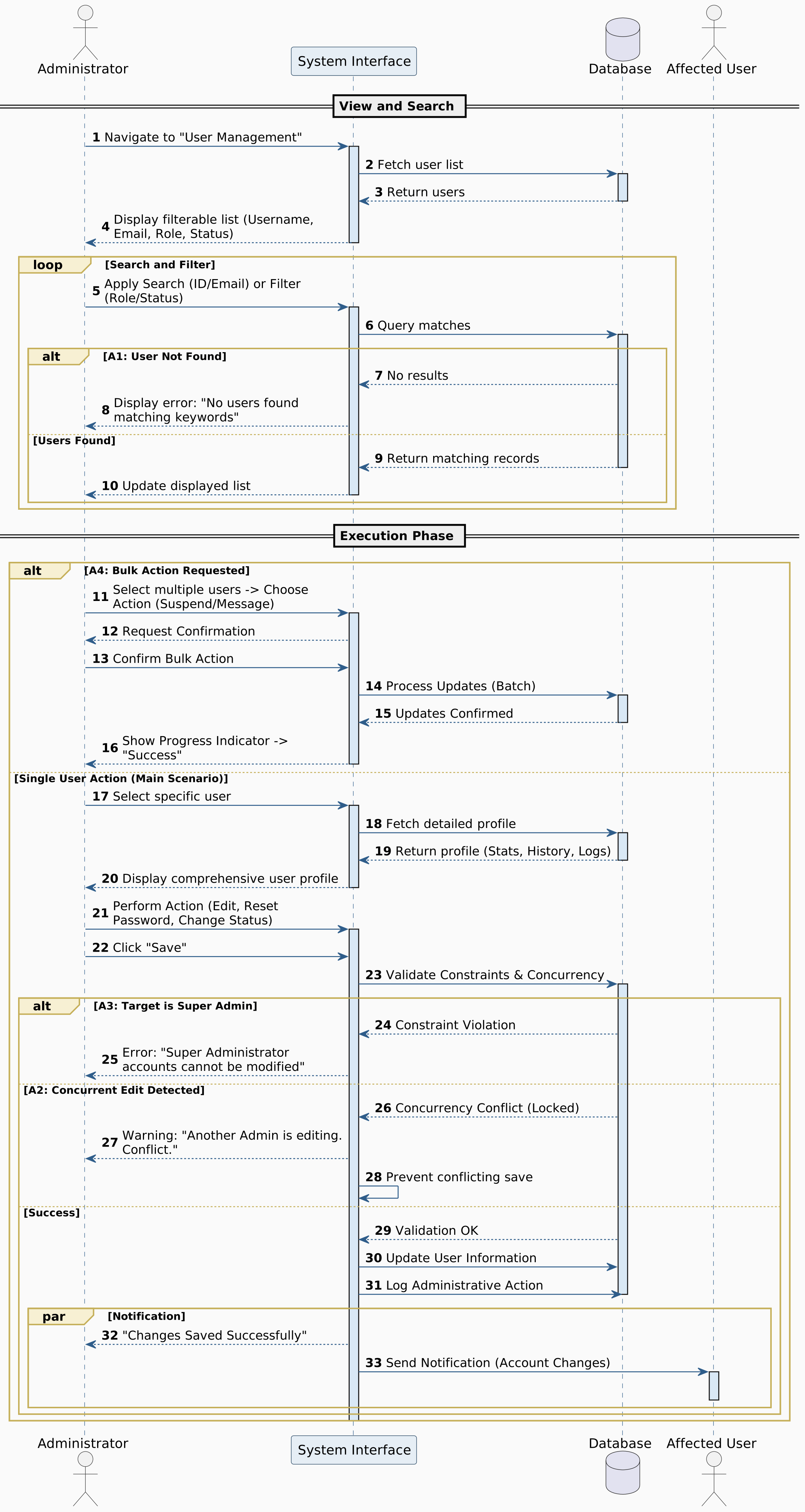

Figure 5.2: Manage User Accounts

Assign User Role
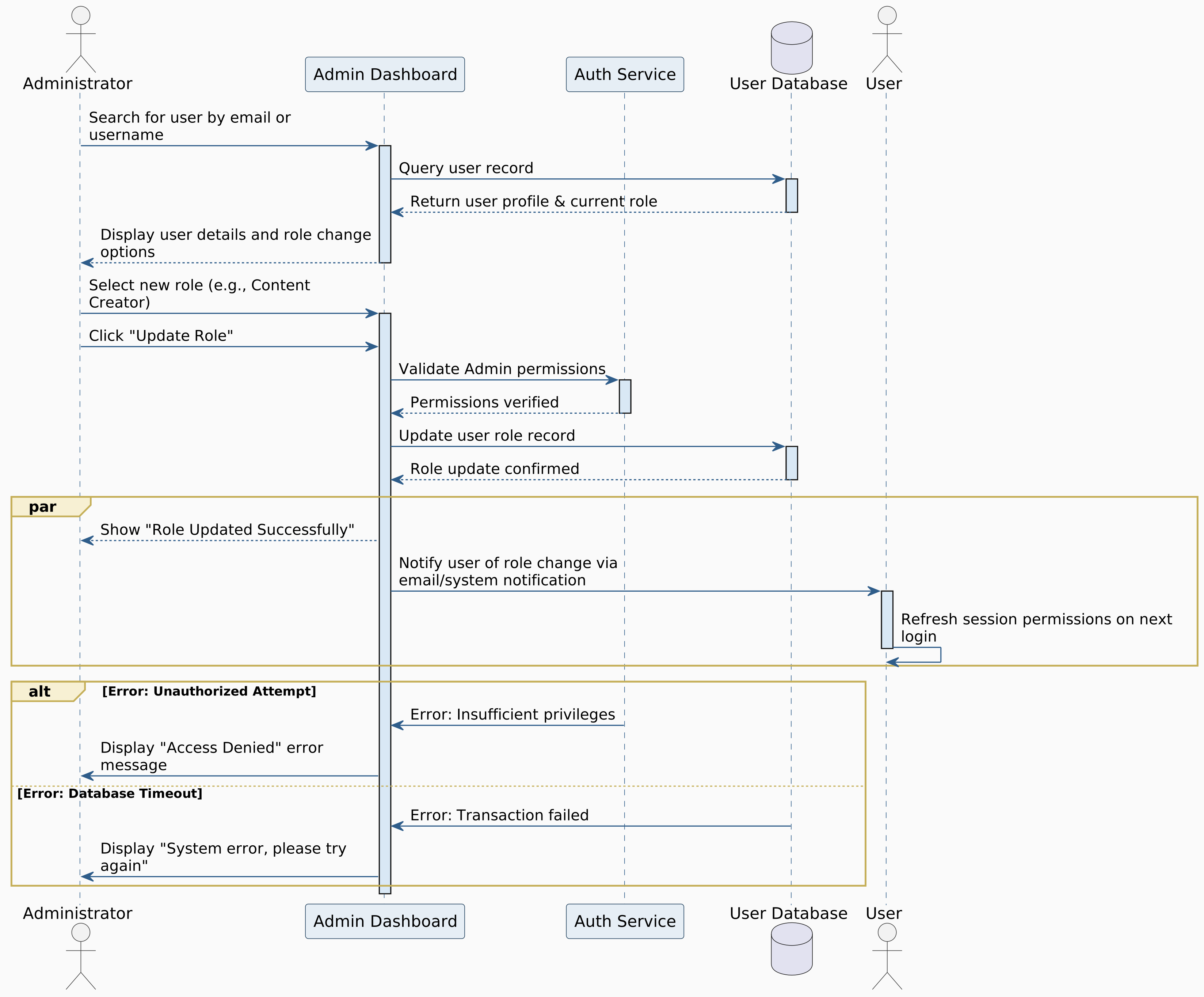

Figure 5.3: Assign User Role

Monitor Platform Analytics
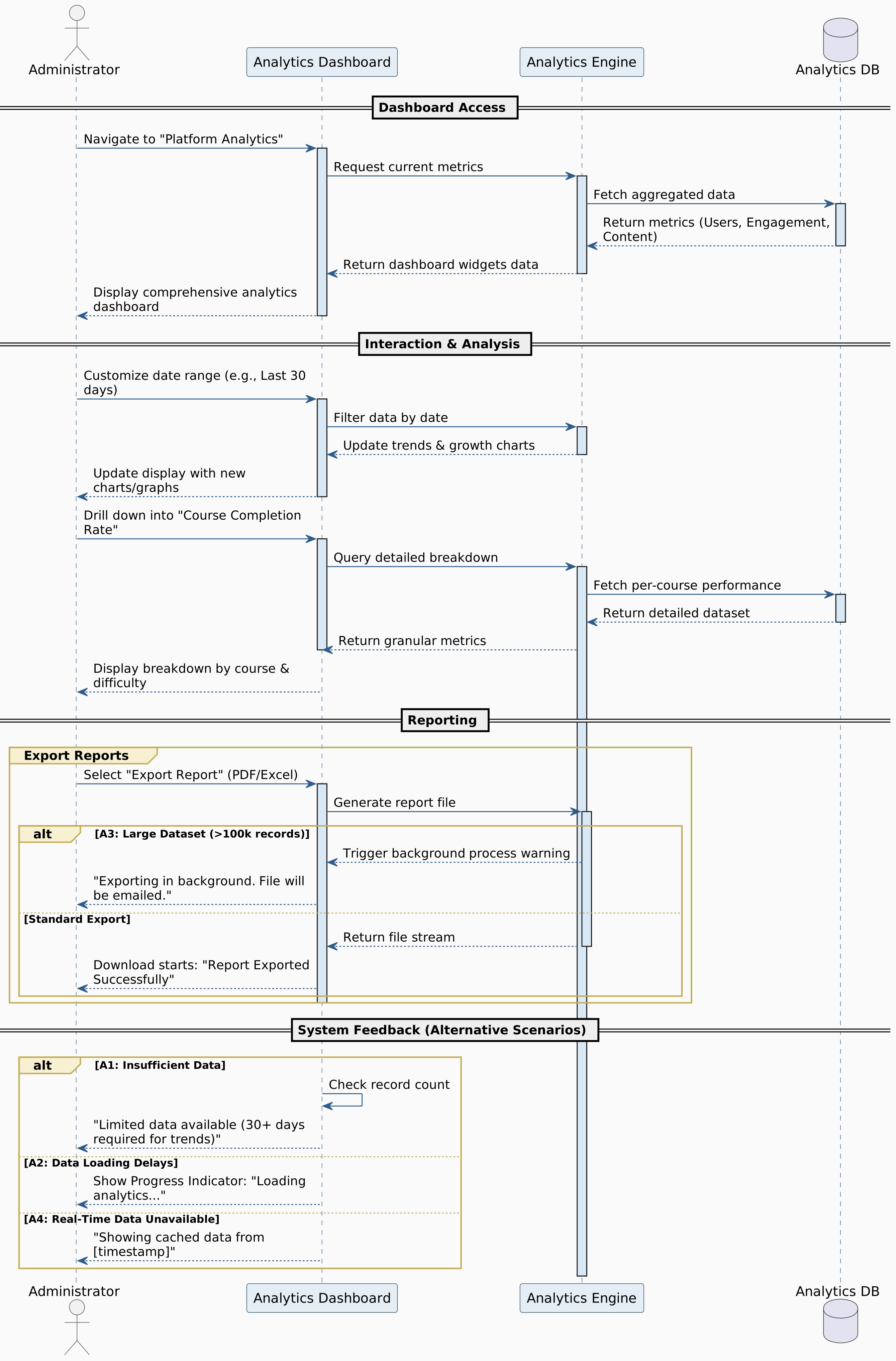

Figure 5.4: Monitor Platform Analytics

Review And Filter System Logs
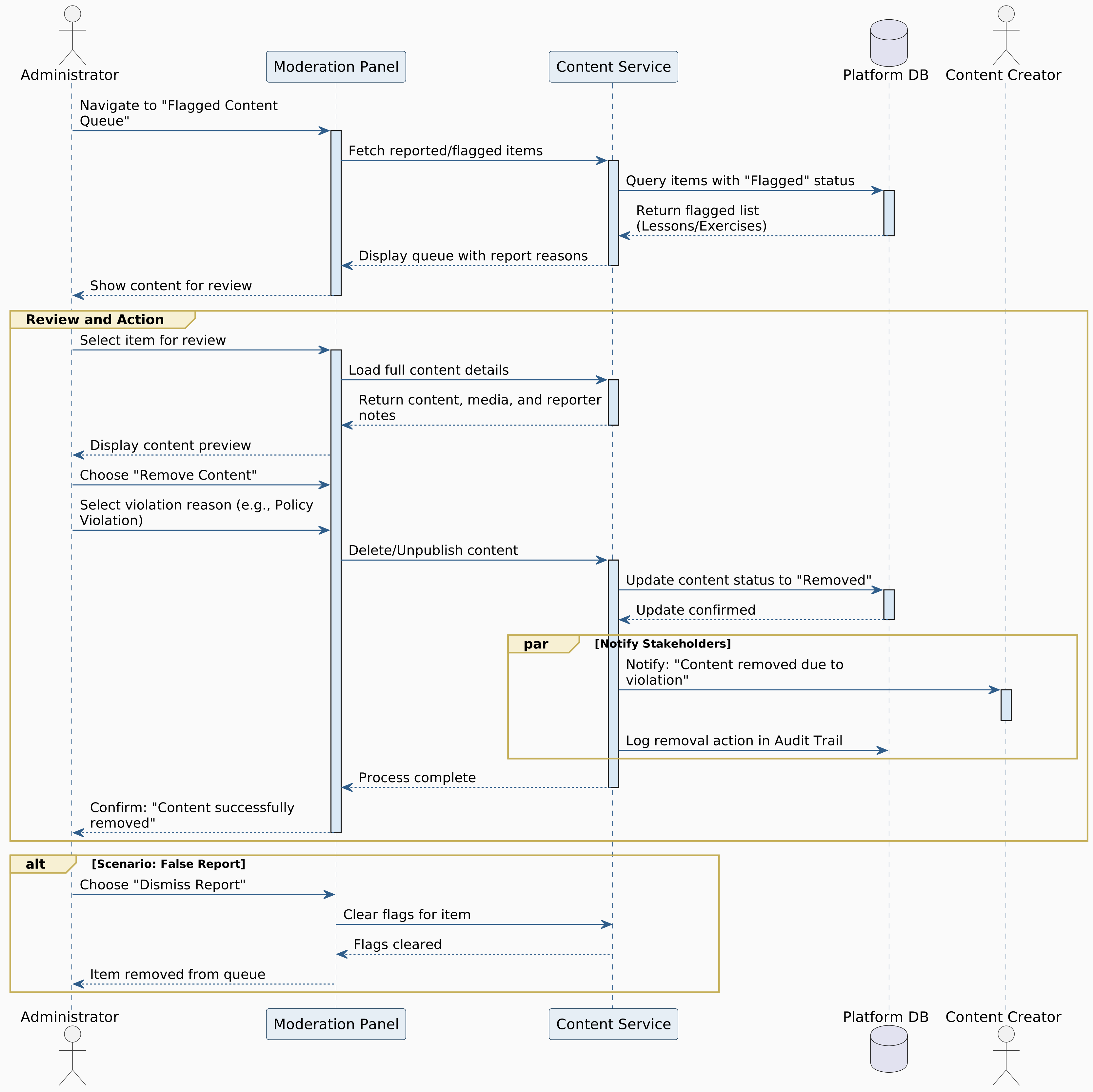

Figure 5.5: Review And Filter System Logs

Remove Inappropriate Content
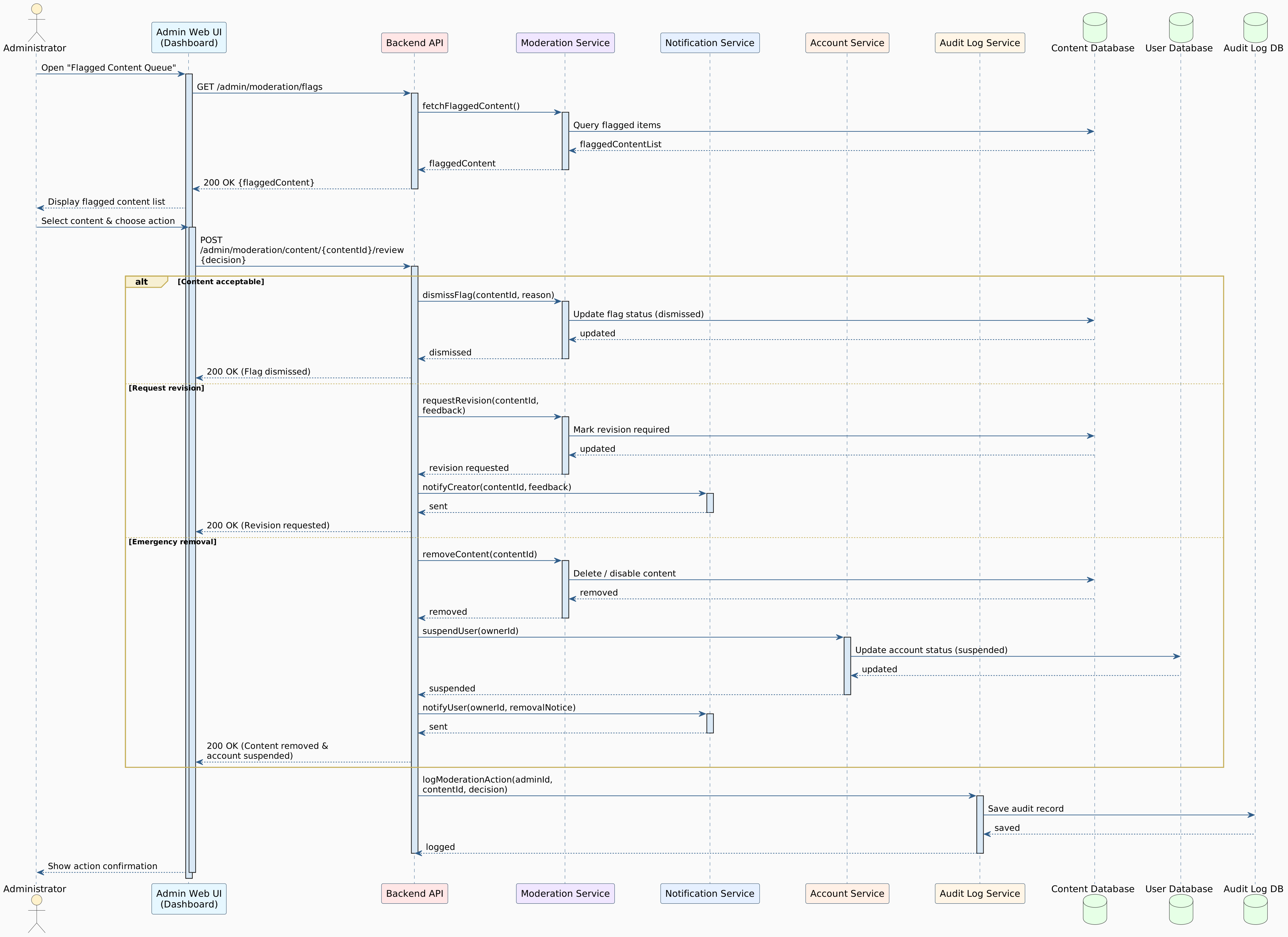

Figure 5.6: Remove Inappropriate Content

Issue User Warning
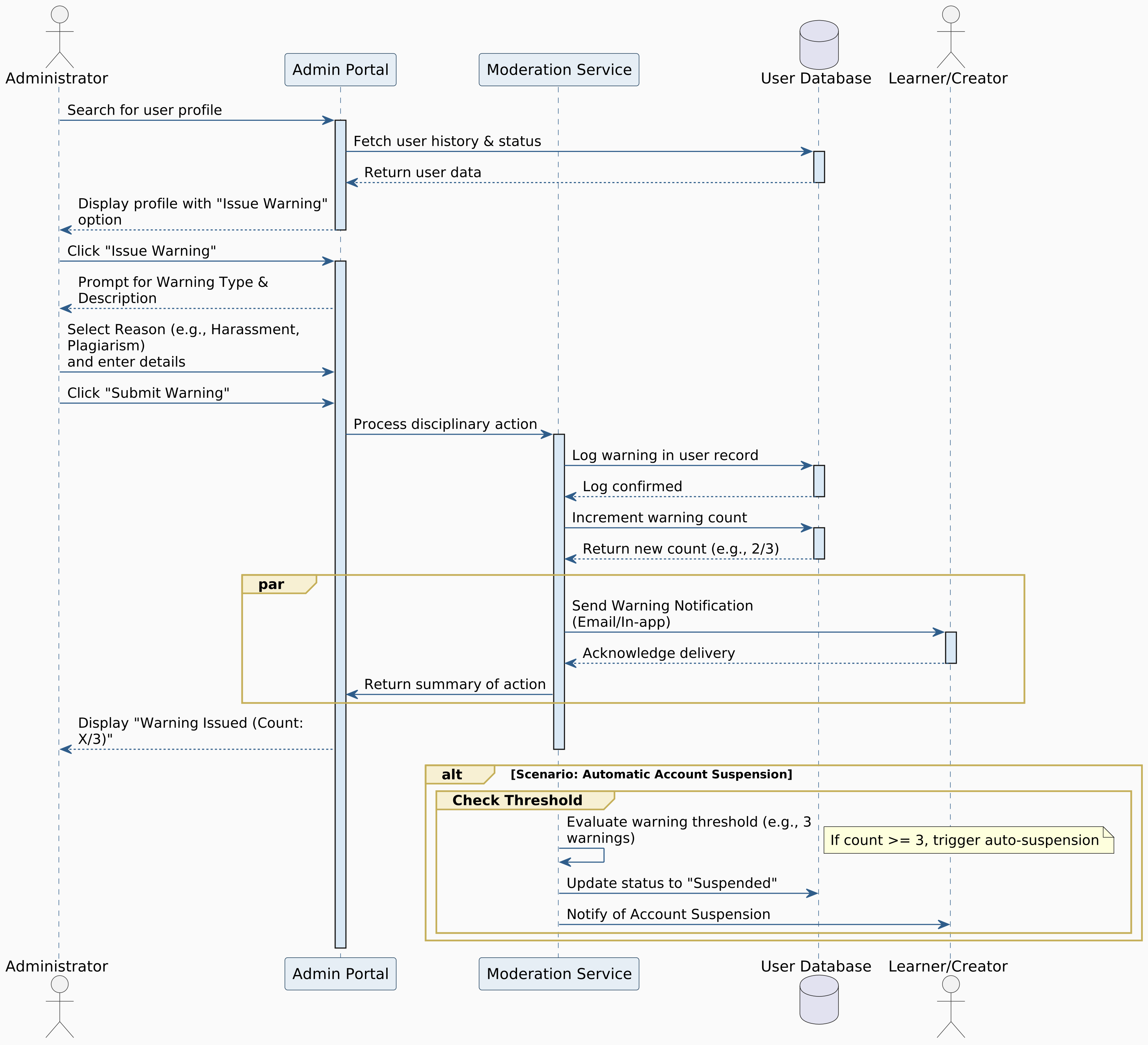

Figure 5.7: Issue User Warning

Design Learning Path
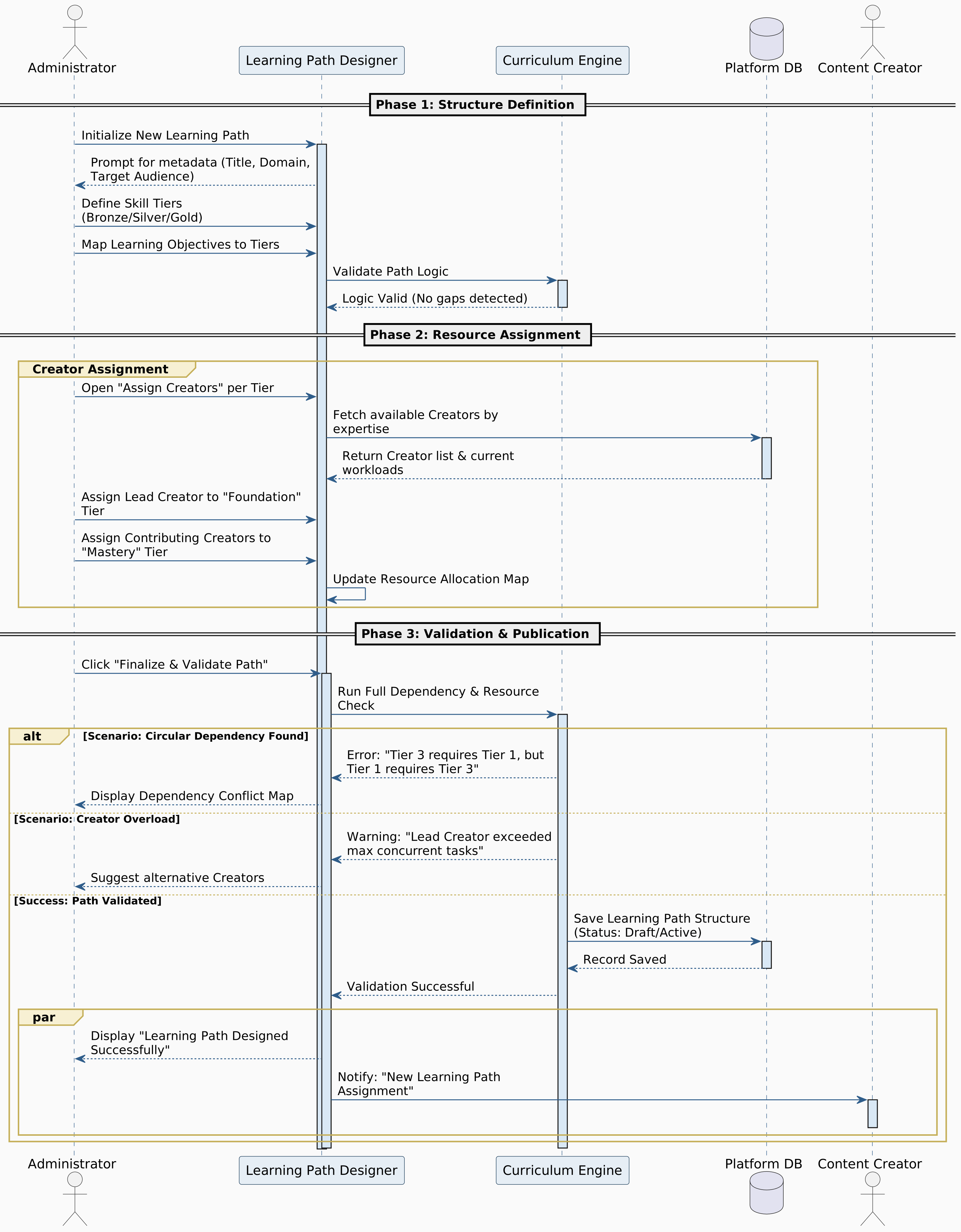

Figure 5.8: Design Learning Path

Content Creator Sequence Diagram

Register Account
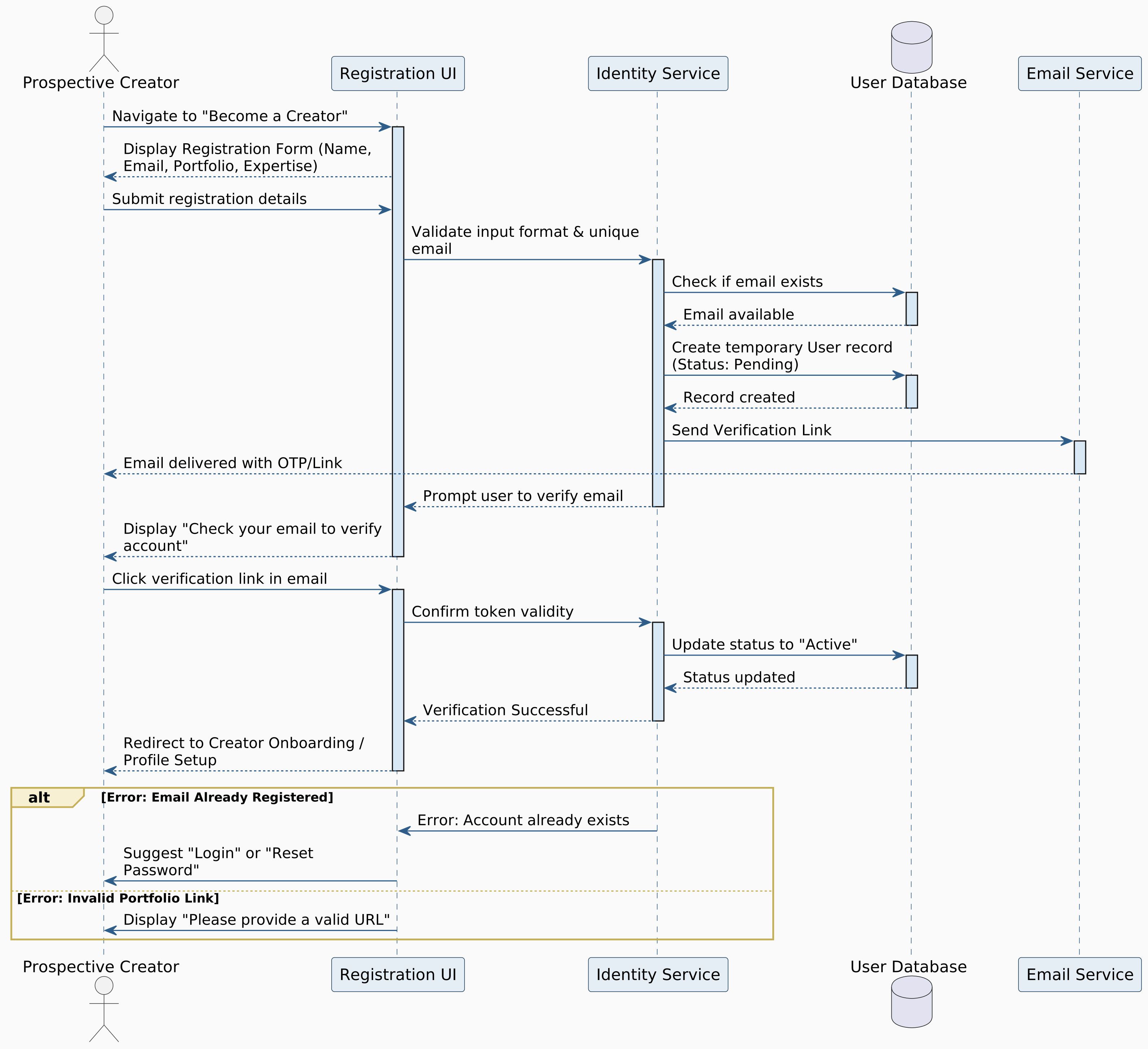

Figure 5.9: Register Account

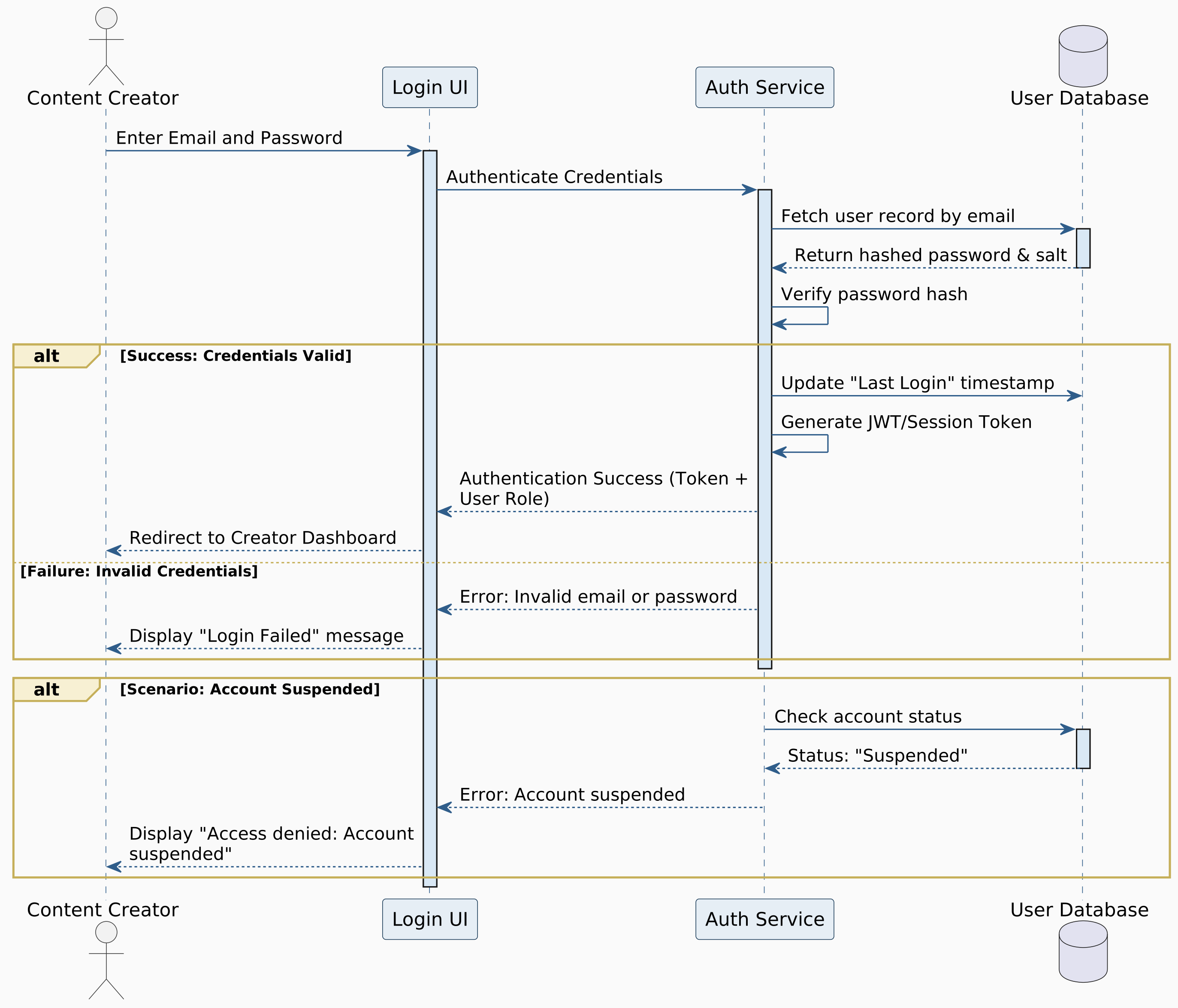
Login to System


Figure 5.10: Login to System

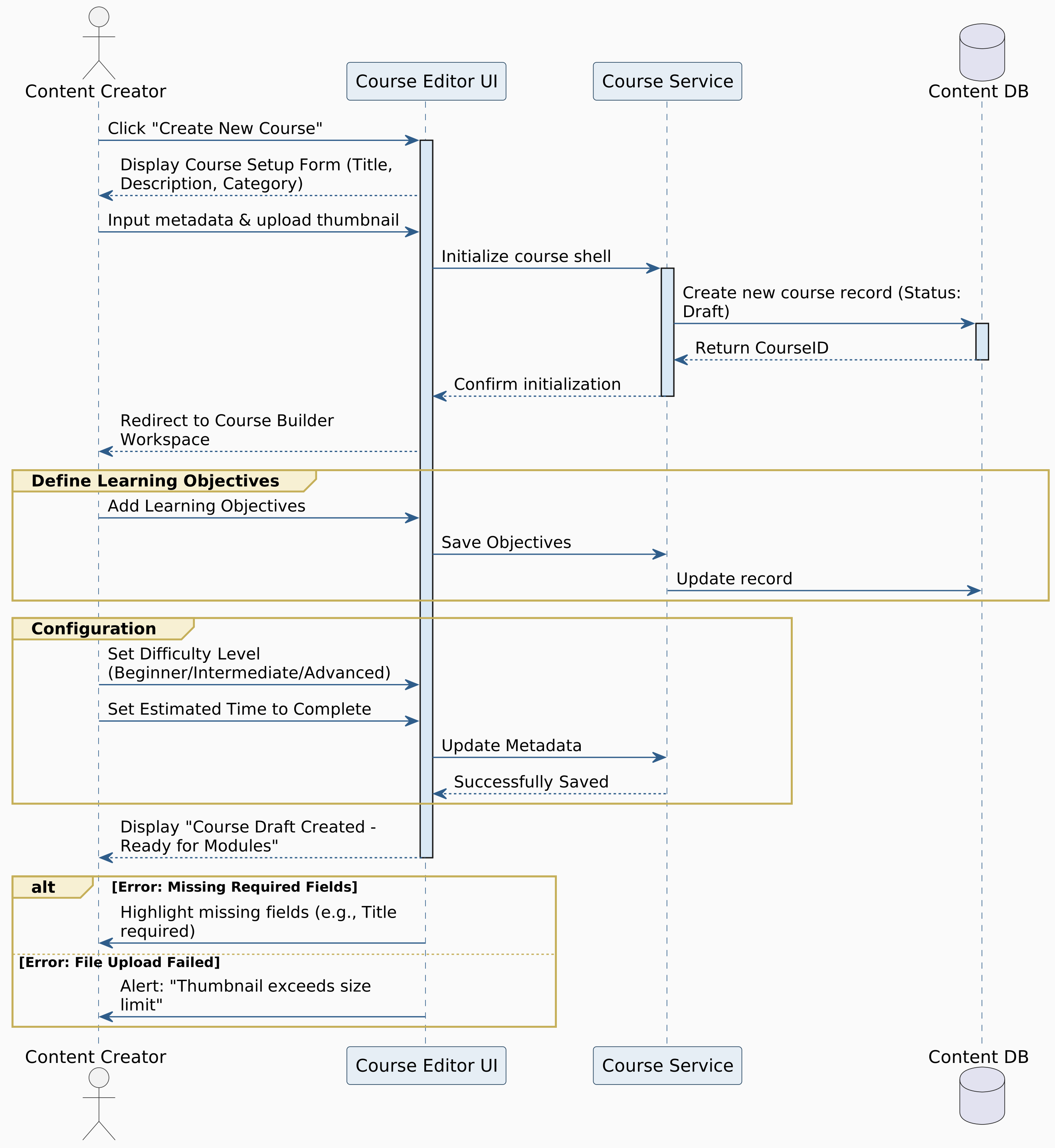
Create Course


Figure 5.11: Create Course

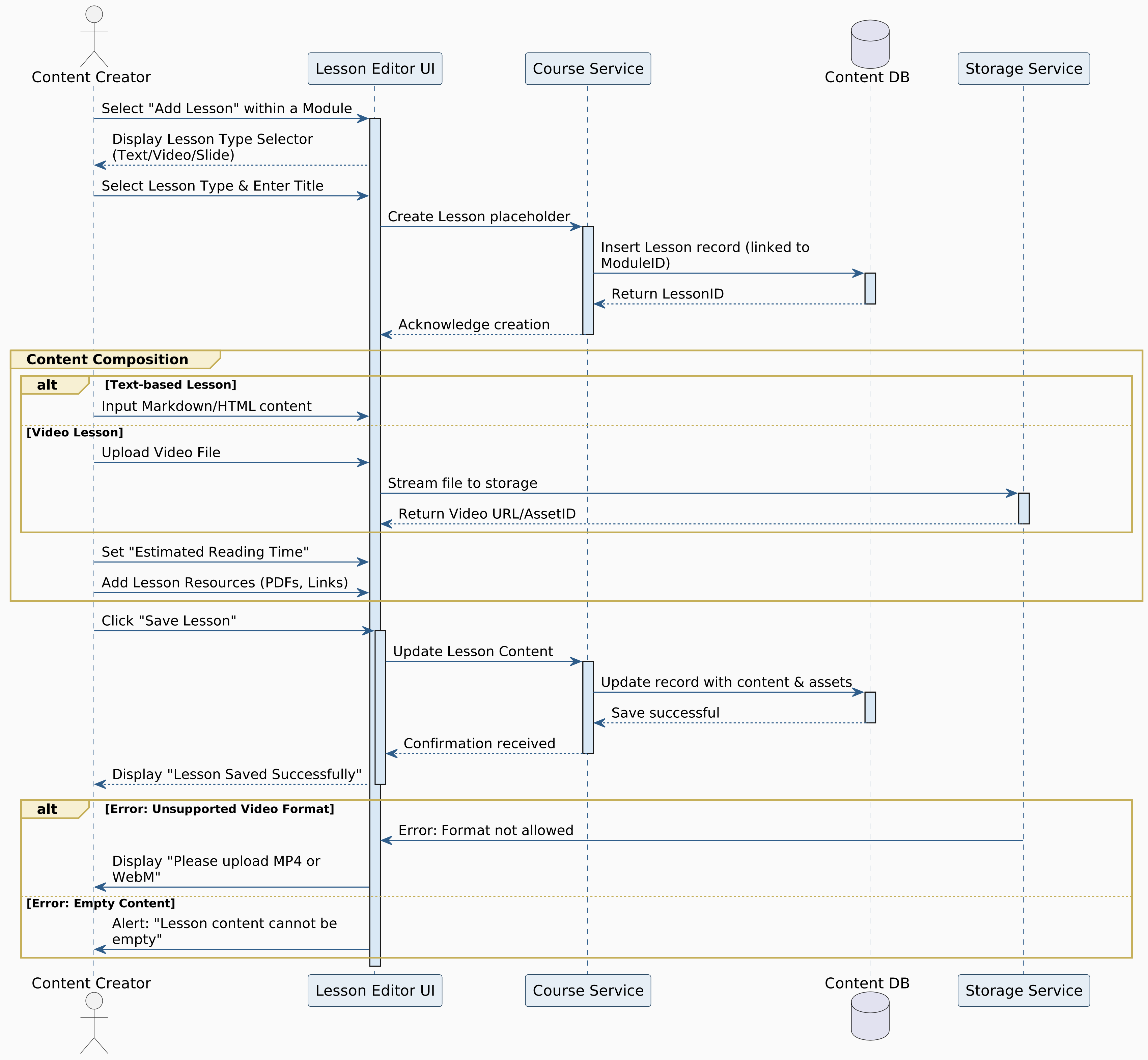
Create Lesson


Figure 5.12: Create Lesson

Add Multimedia Content
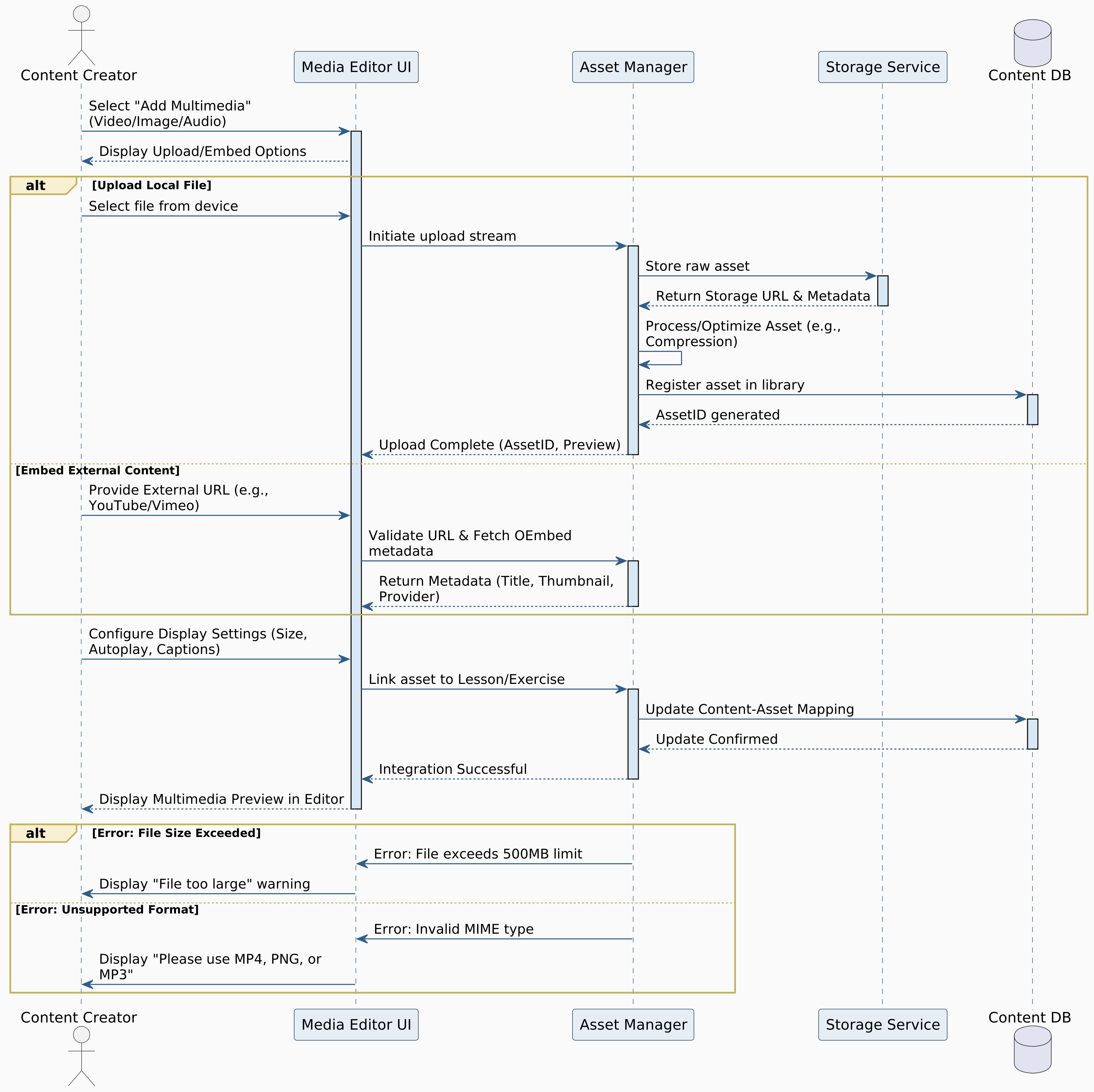

Figure 5.13: Add Multimedia Content

Localize Content
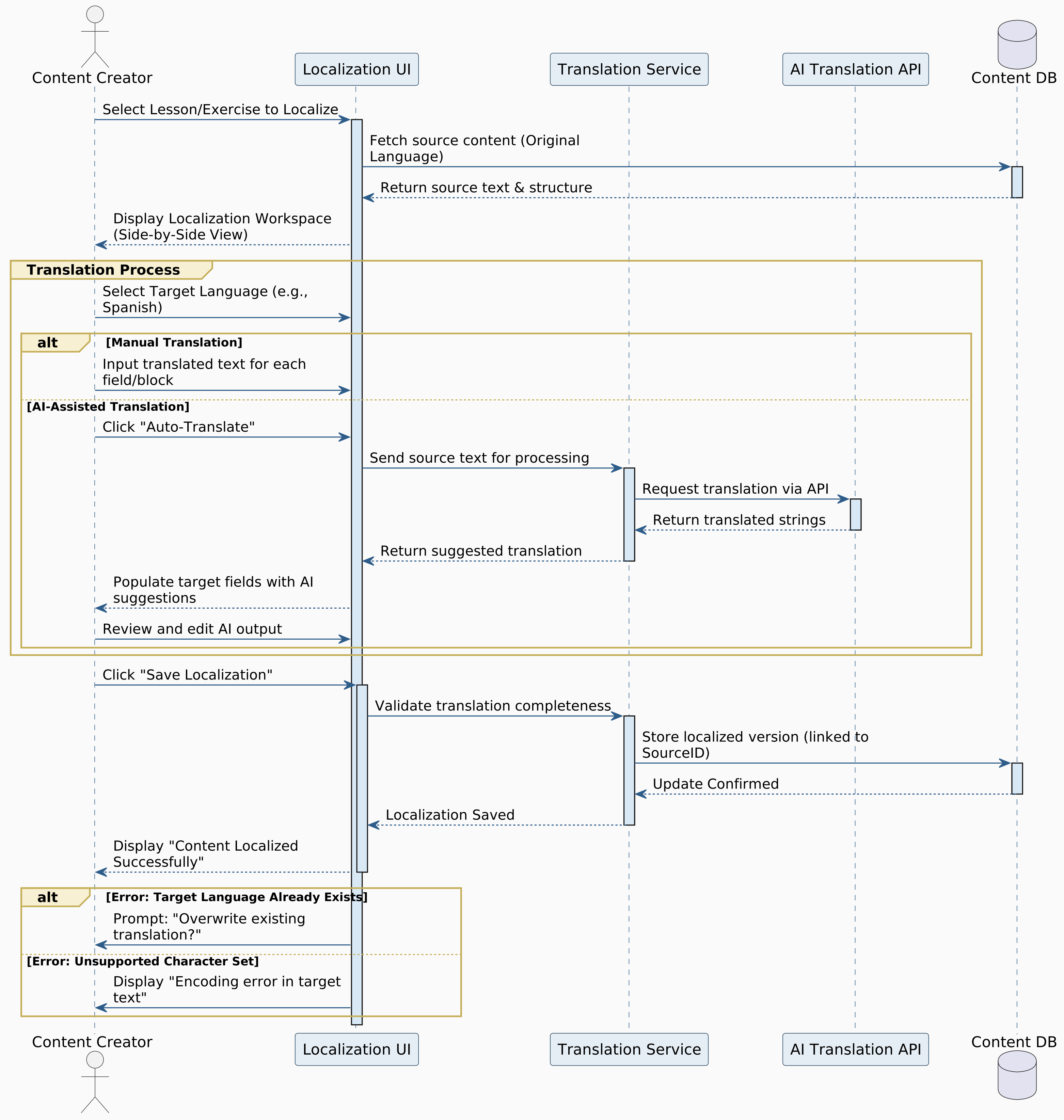

Figure 5.14: Localize Content

Categorize Exercise Difficulty
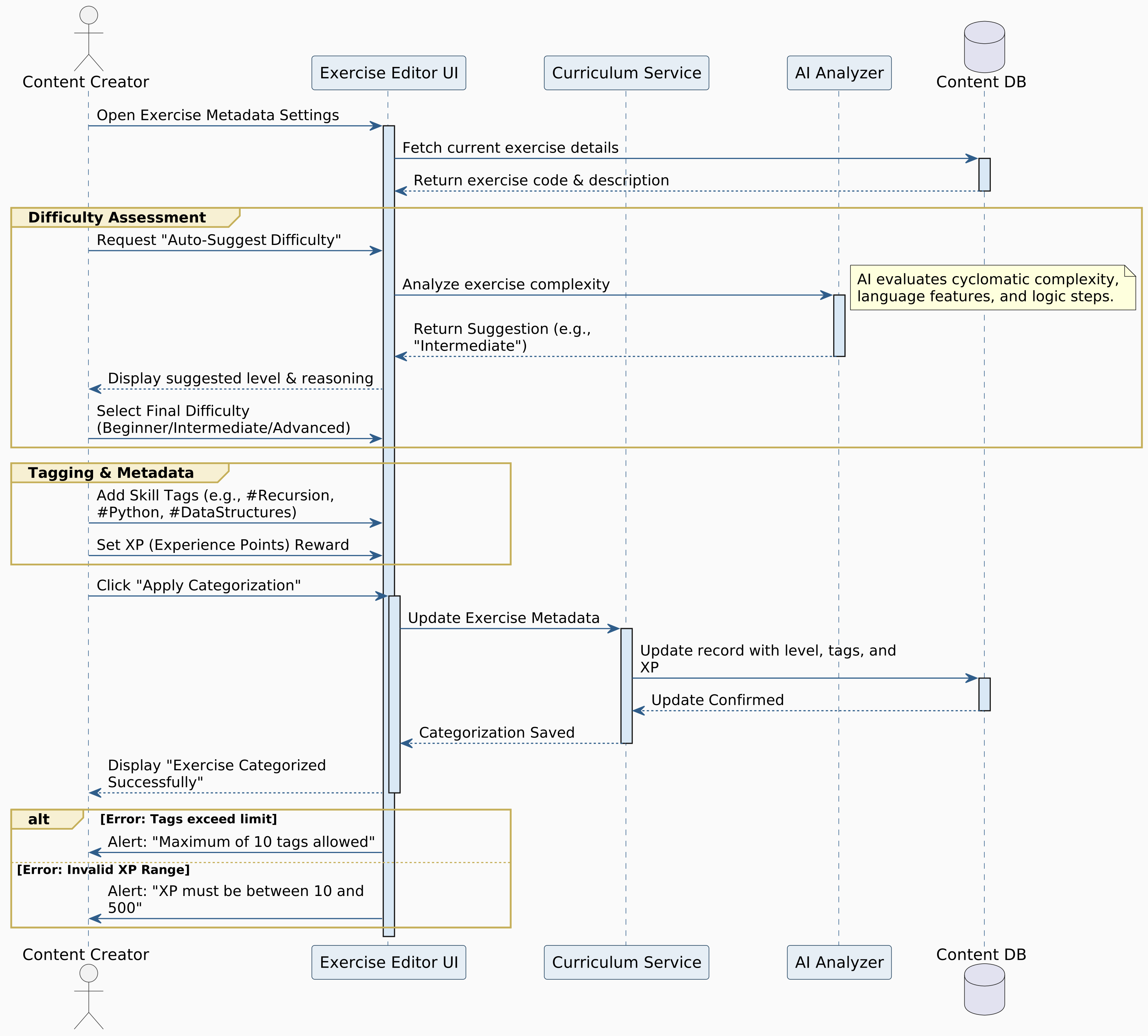

Figure 5.15: Categorize Exercise Difficulty

Udate Course Materials
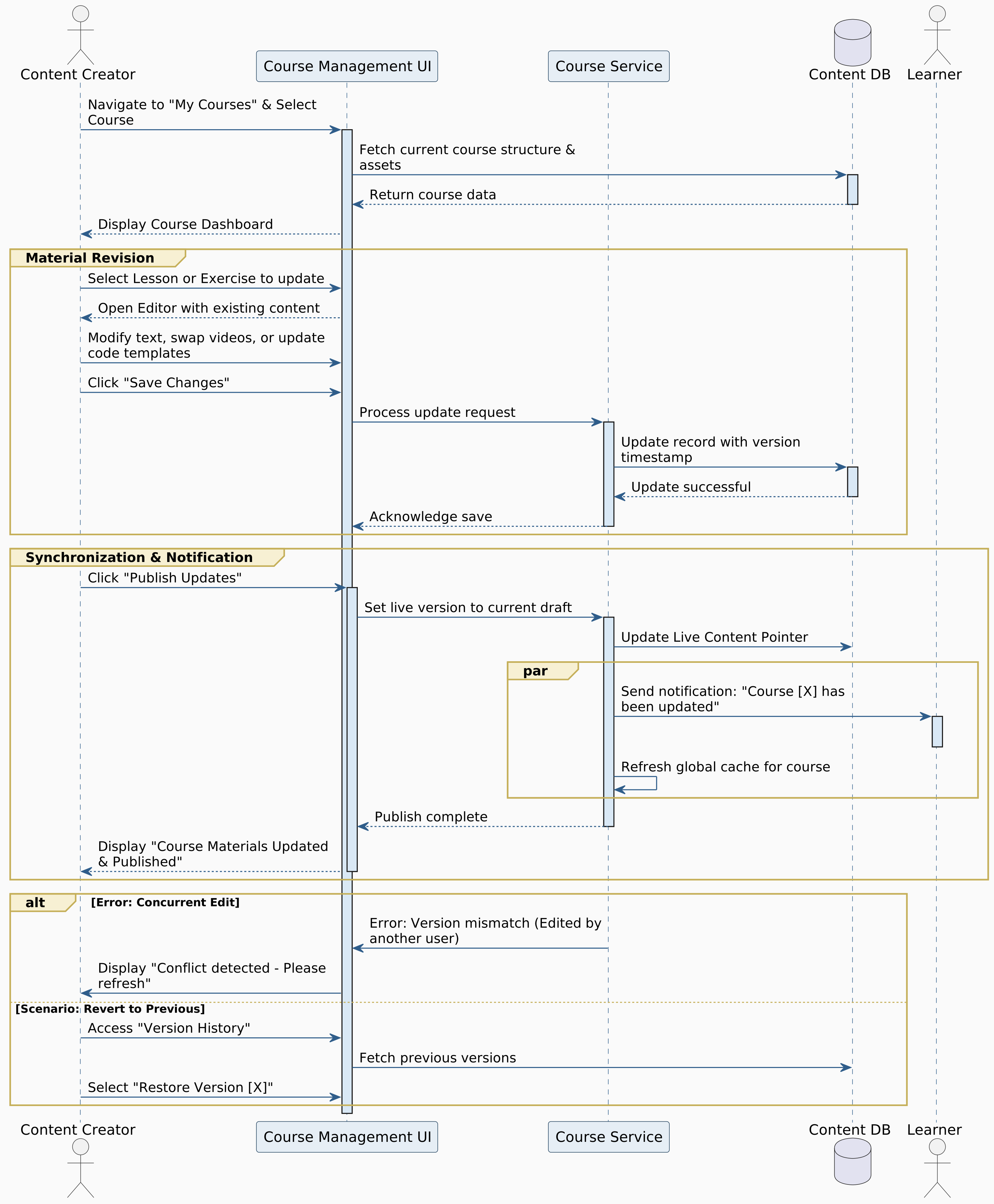

Figure 5.16: Udate Course Materials

Review Student Submissions
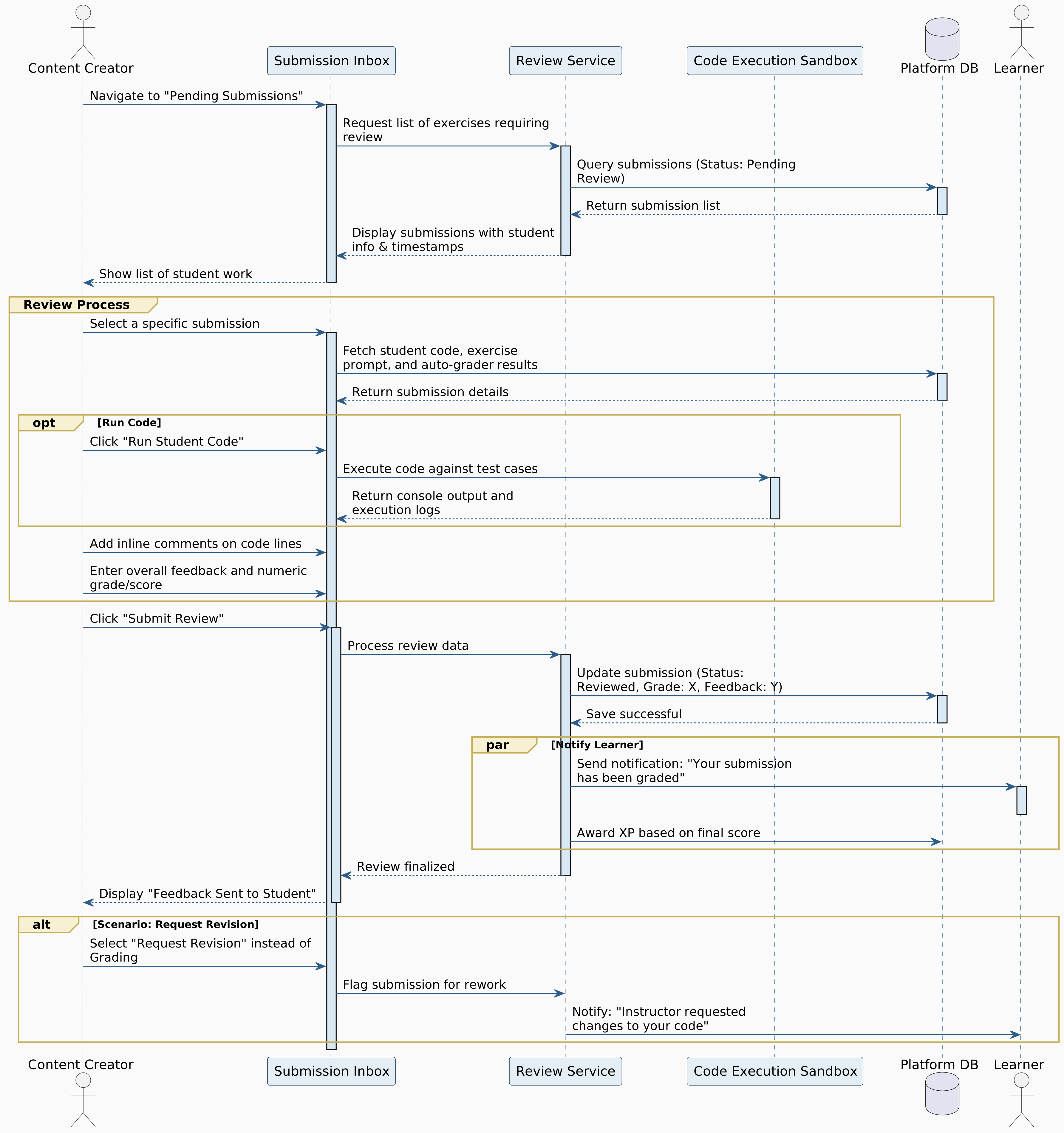

Figure 5.17: Review Student Submissions

Manage Course Structure
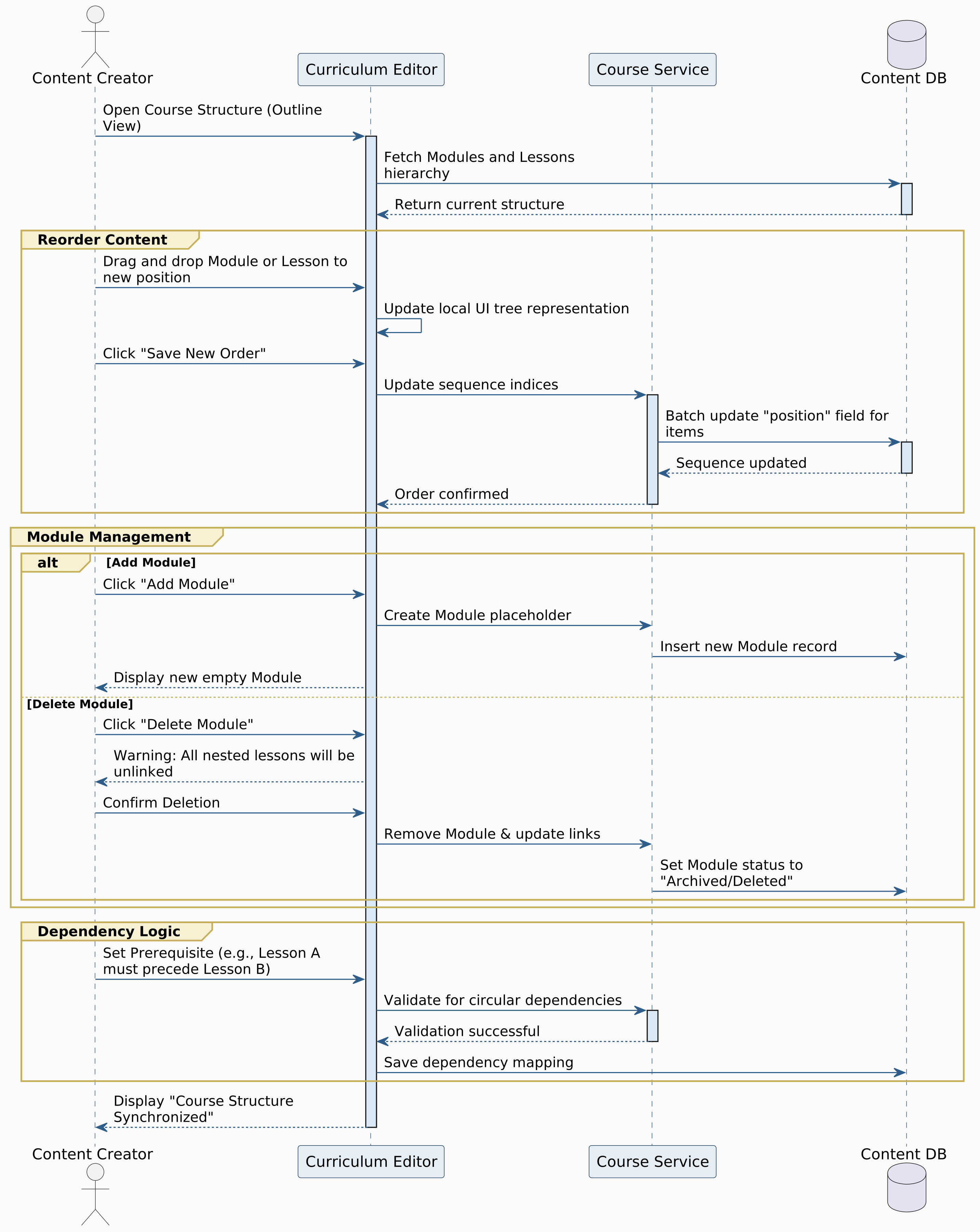

Figure 5.18: Manage Course Structure

Create Coding Exercise
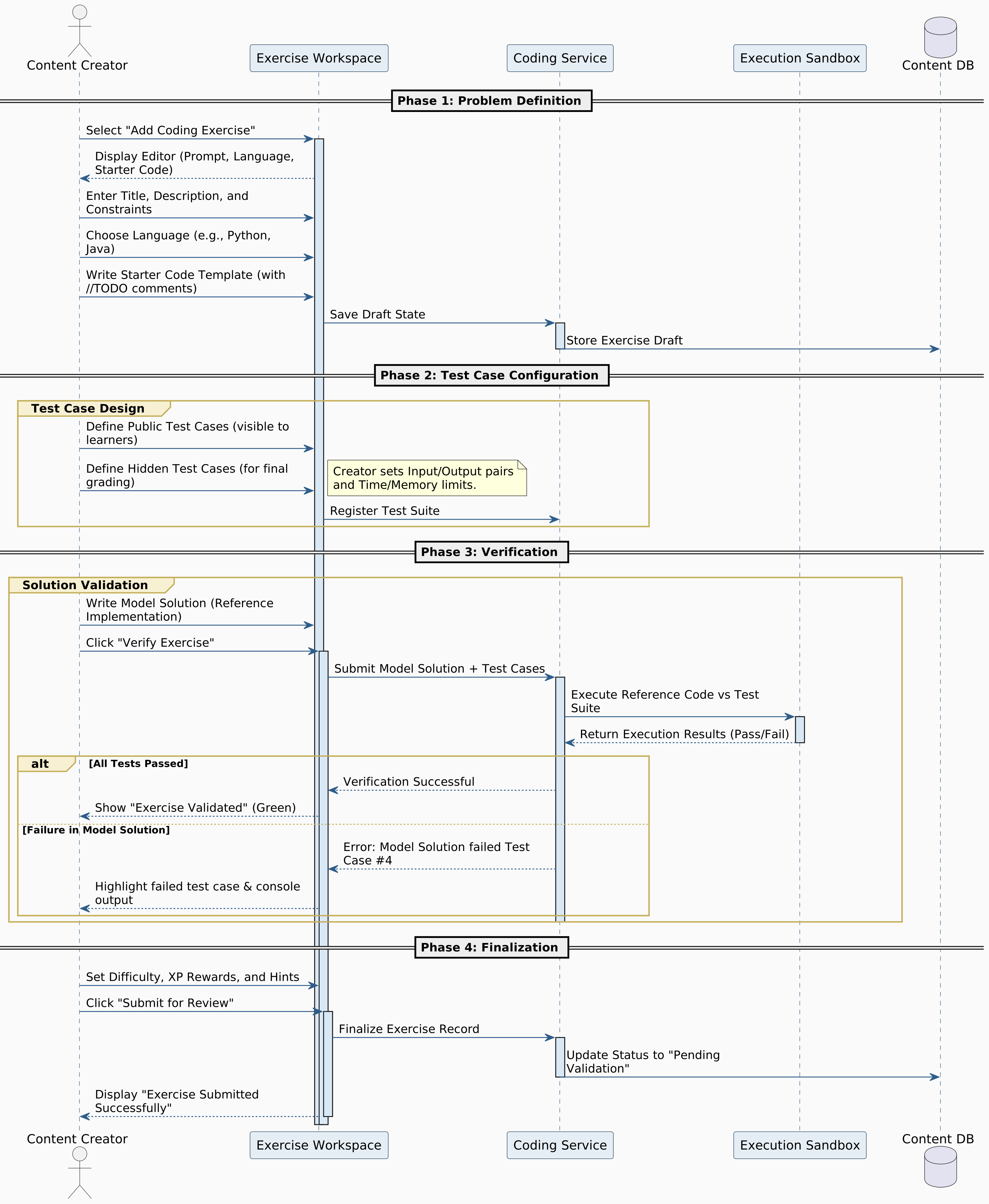

Figure 5.19: Create Coding Exercise

Validate Exercise before Publishing
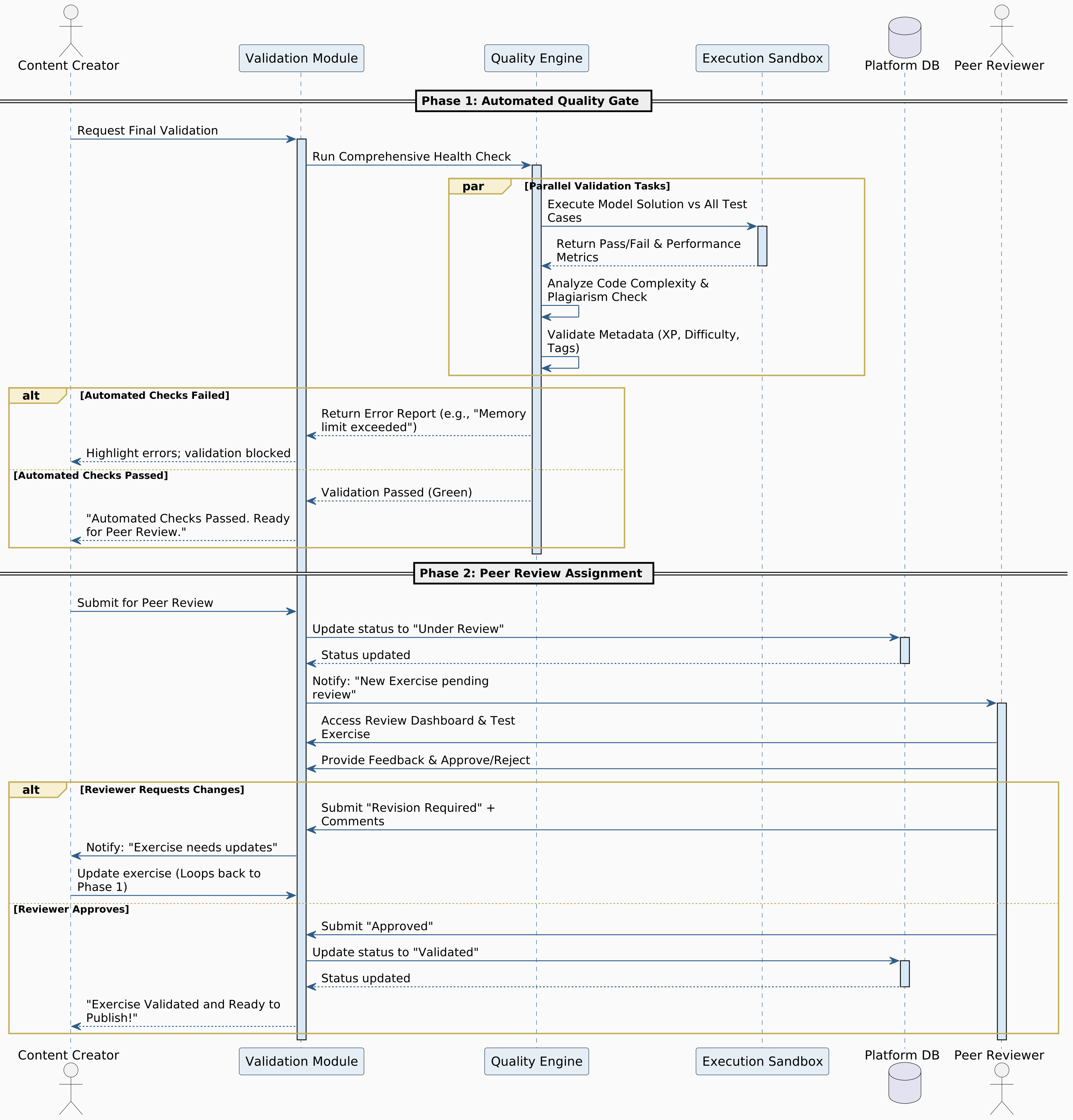

Figure 5.20: Validate Exercise before Publishing

Contribute to Learning Path
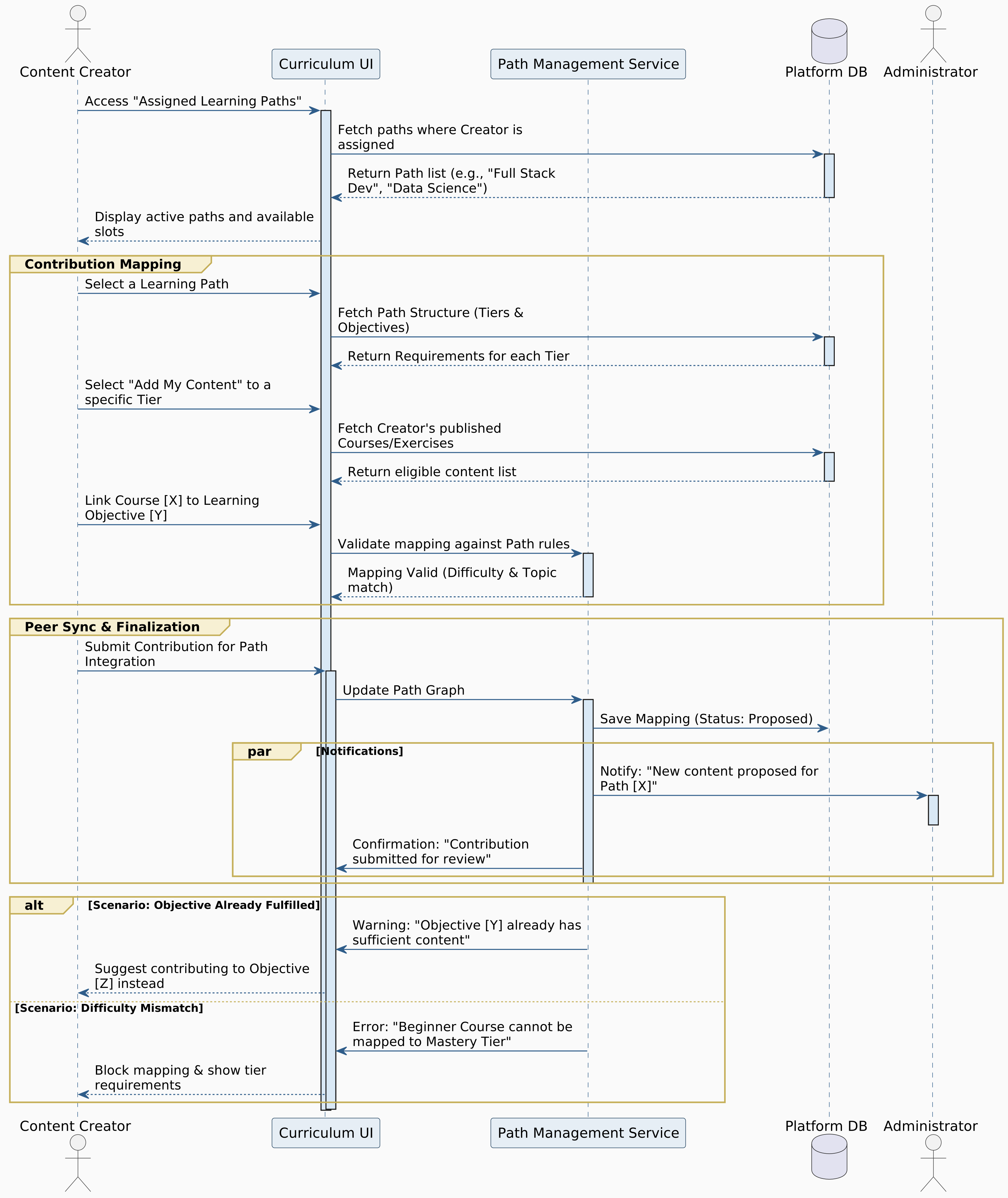

Figure 5.21: Contribute to Learning Path

Learner Sequence Diagrams

Register Account
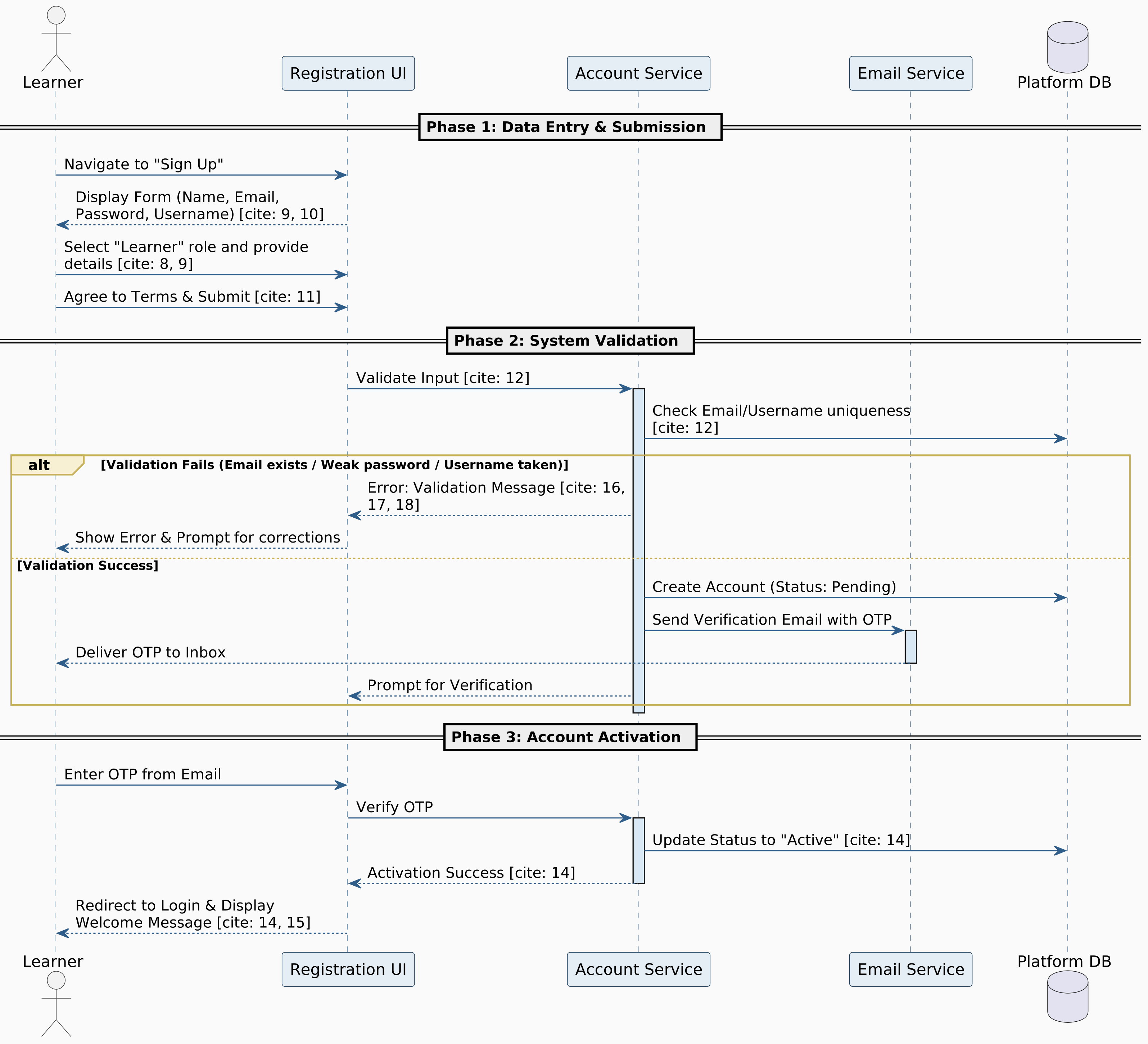

Figure 5.22: Register Account

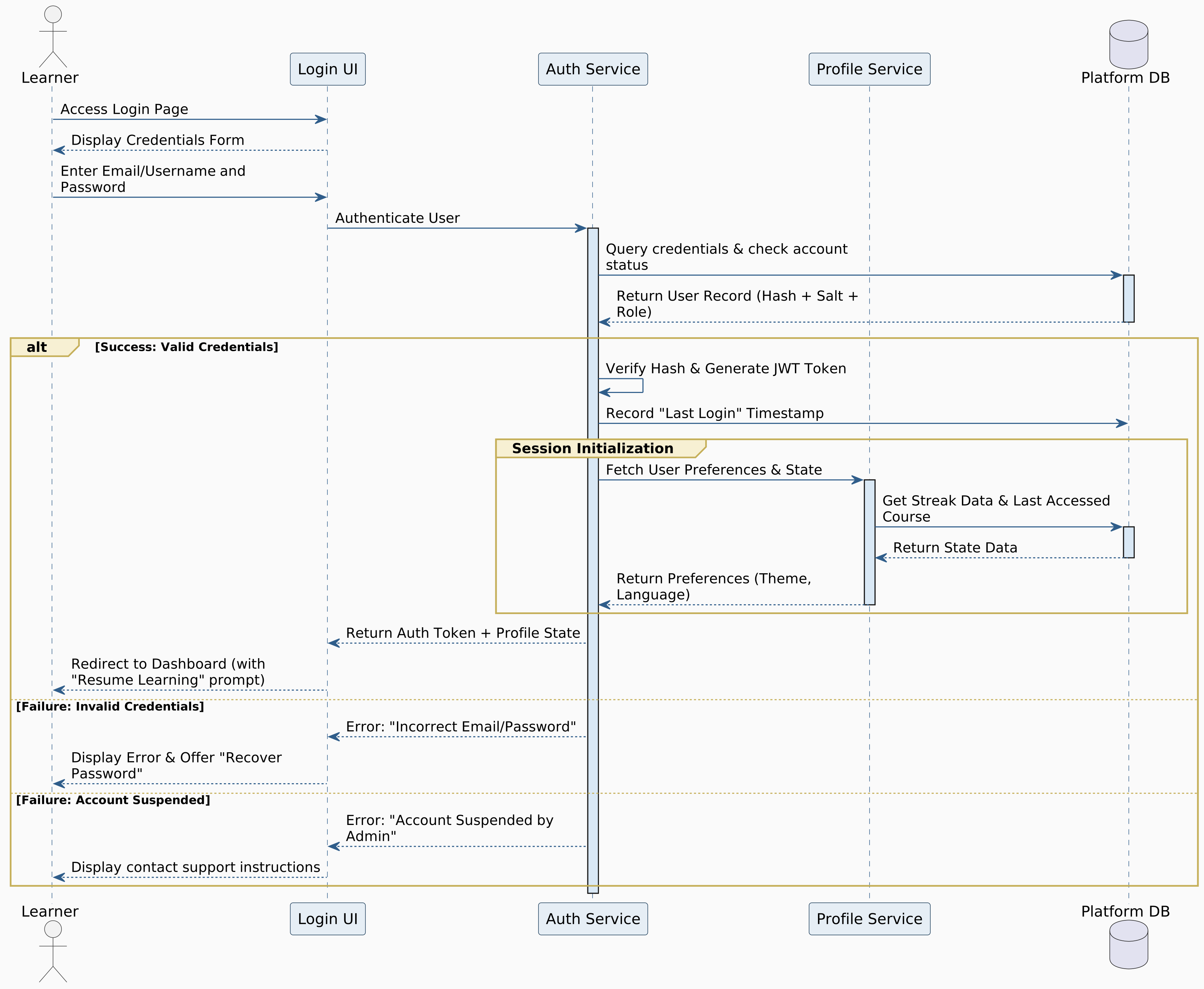
Login to System


Figure 5.23: Login to System

Recover password


Figure 5.24: Recover password

Choose Learning Path
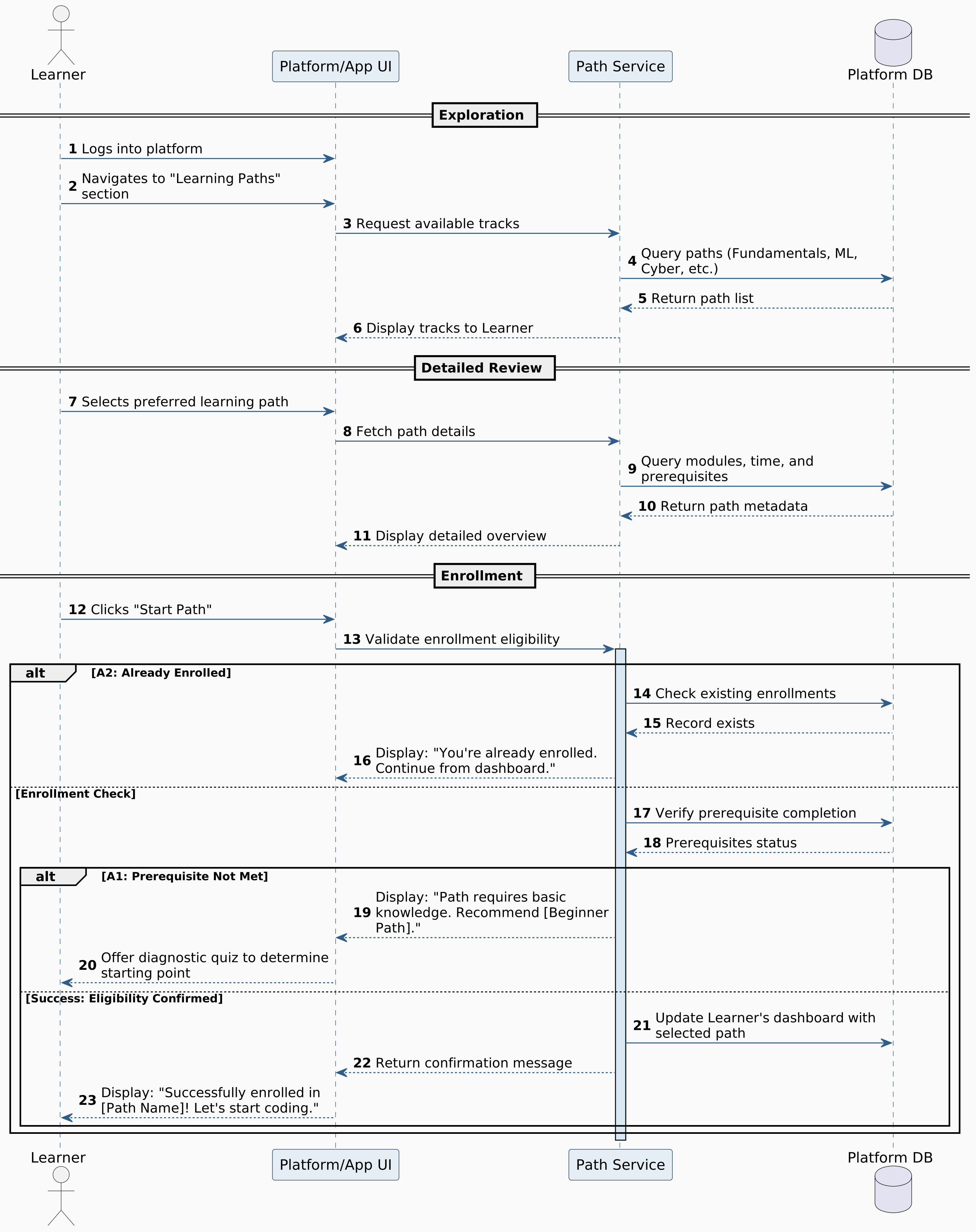

Figure 5.25: Choose Learning Path

View Lesson Content
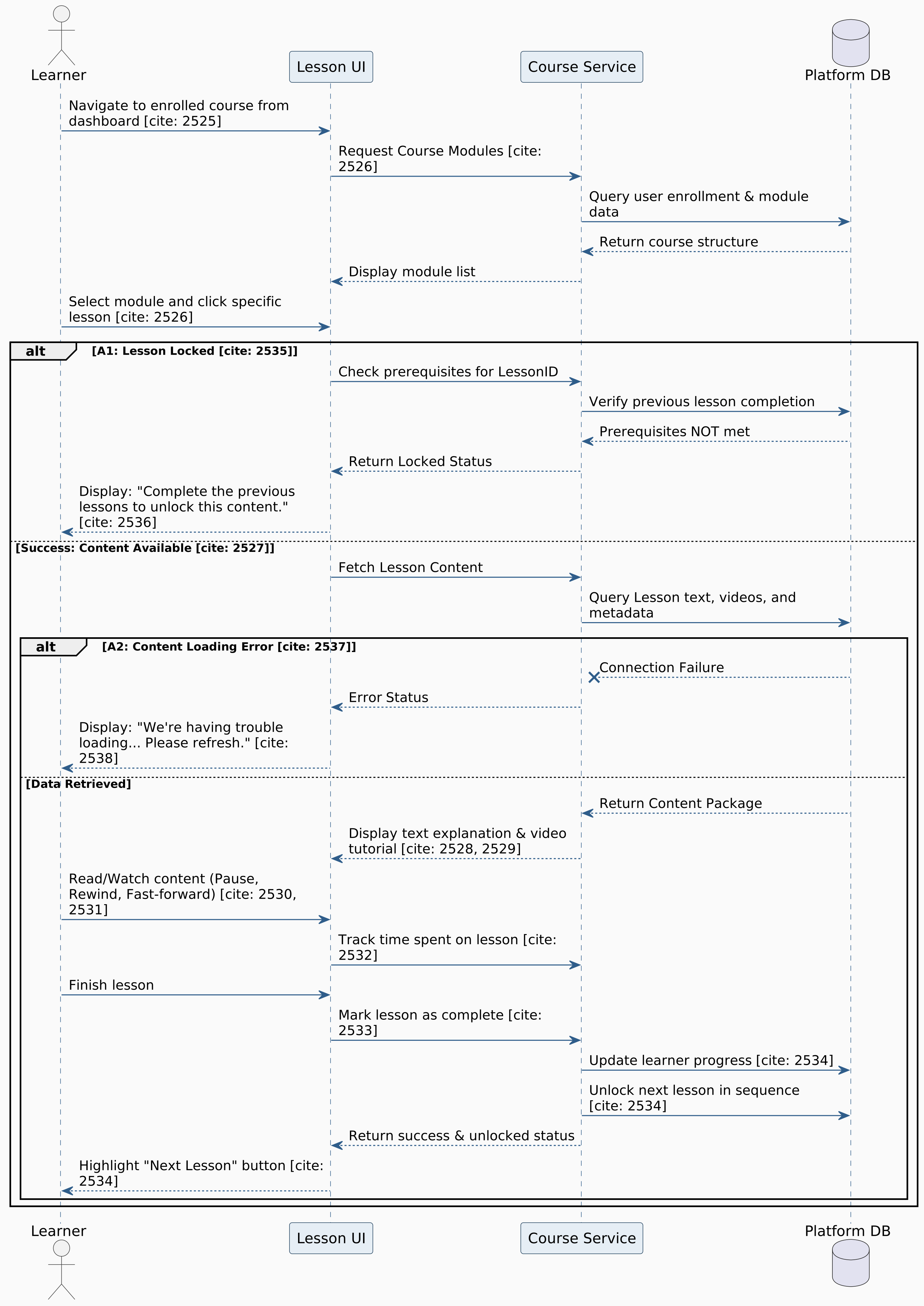

Figure 5.26: View Lesson Content

Complete Exercise
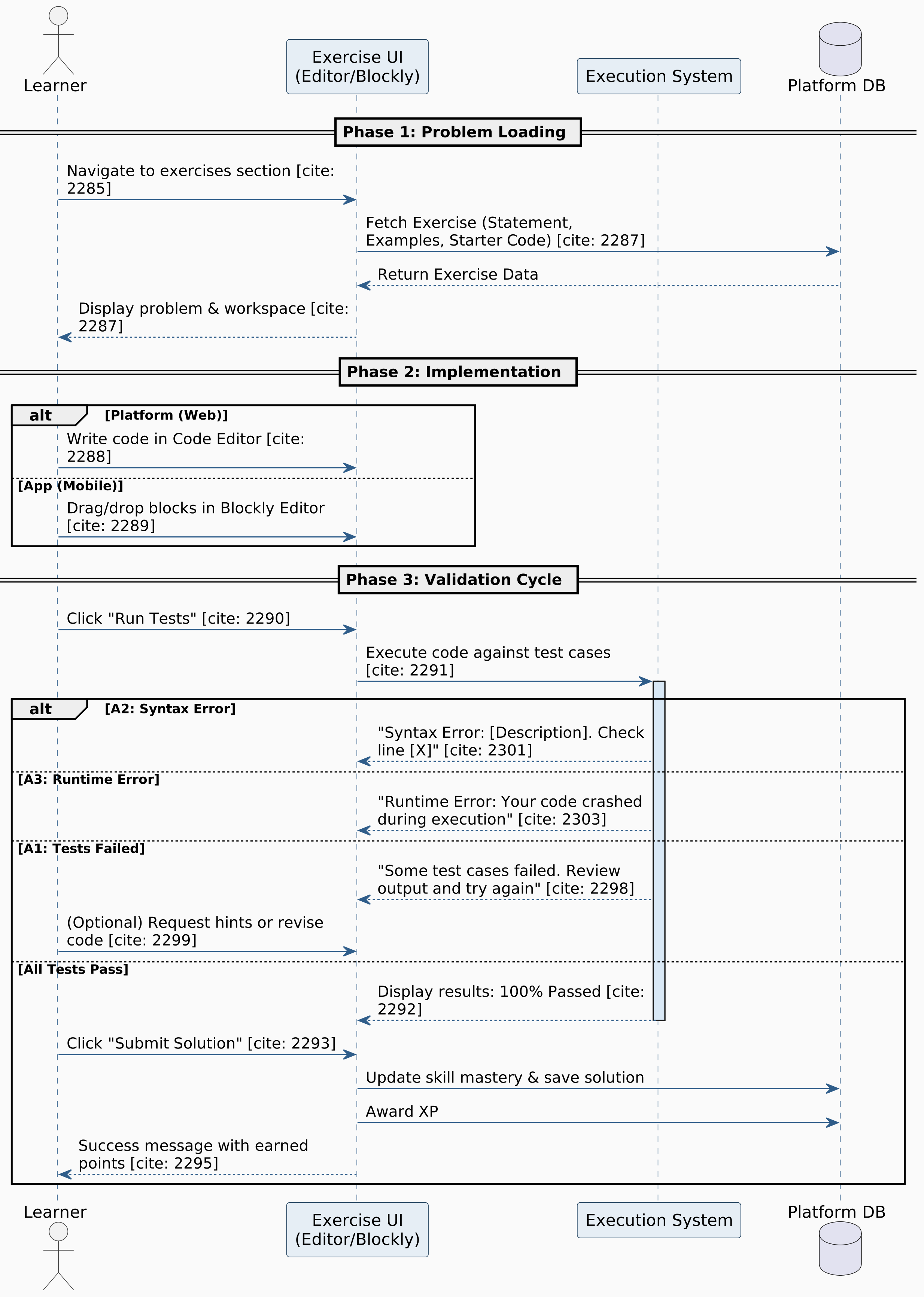

Figure 5.27: Complete Exercise

Track Progress


Figure 5.28: Track Progress

Learn XP and Level Up
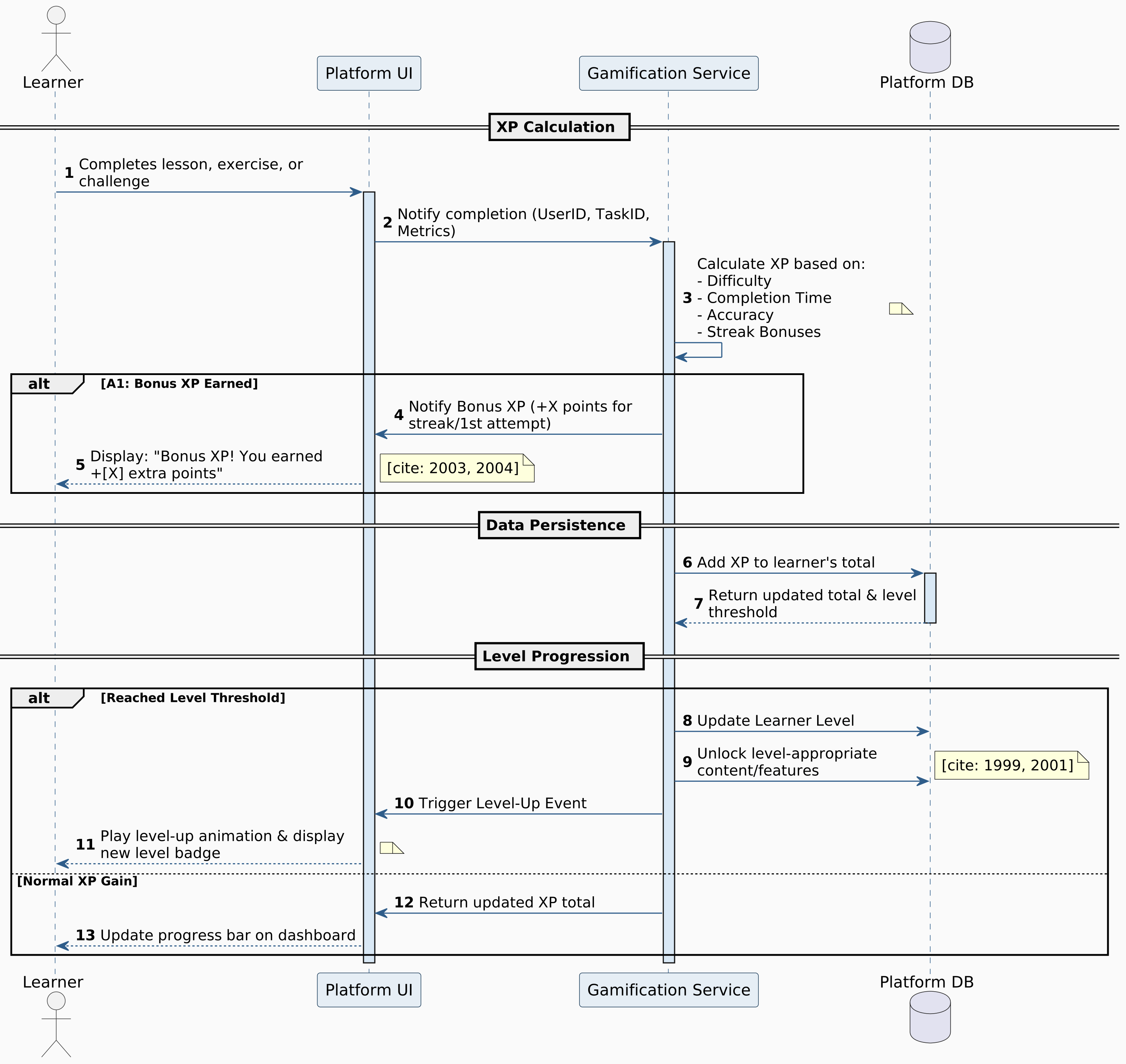

Figure 5.29: Learn XP and Level Up

Set Language Preferences
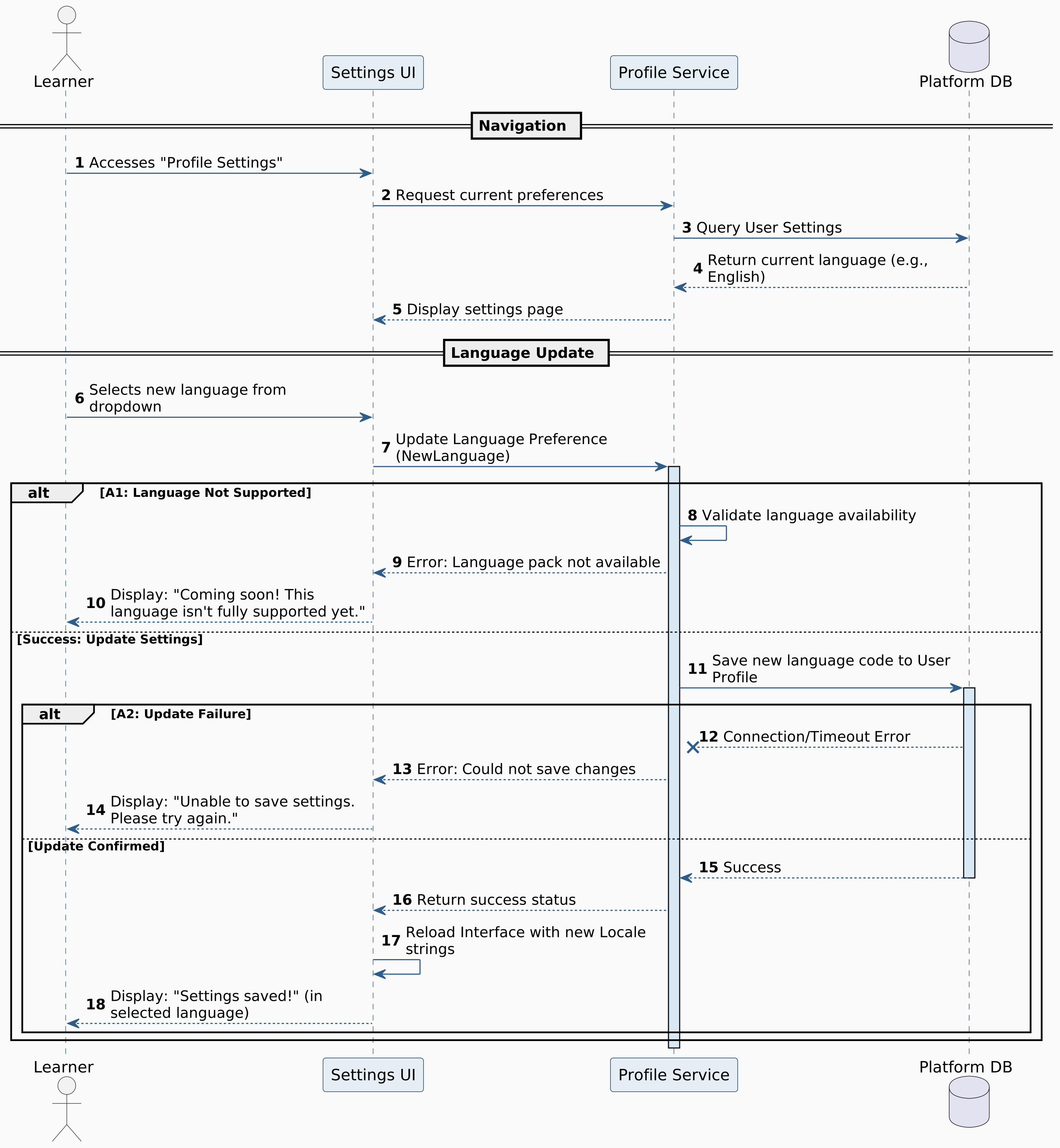

Figure 5.30: Set Language Preferences

Bookmark Lesson
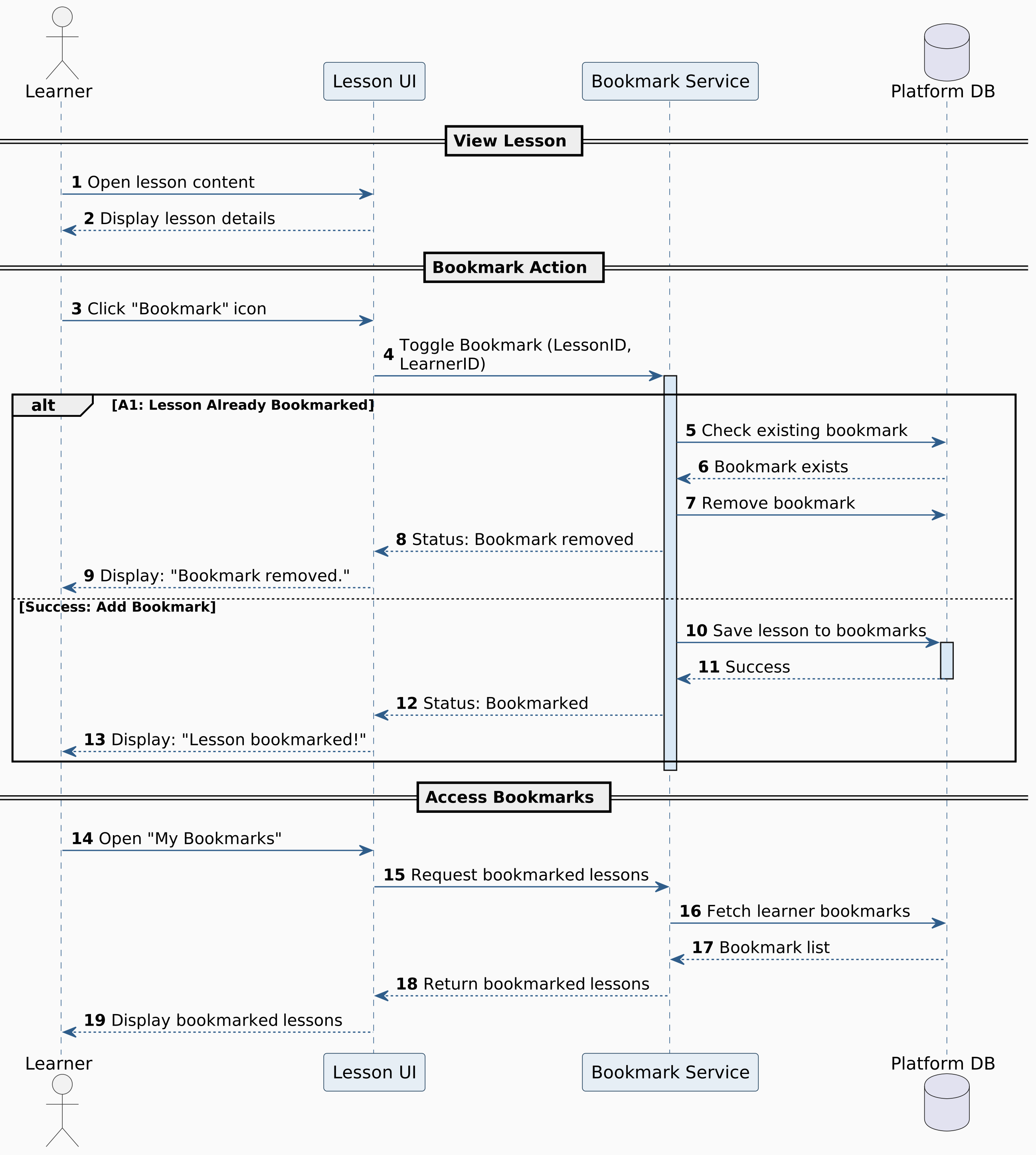

Figure 5.31: Bookmark Lesson

Share Solution


Figure 5.32: Share Solution

Enable Two-factor Authontecation
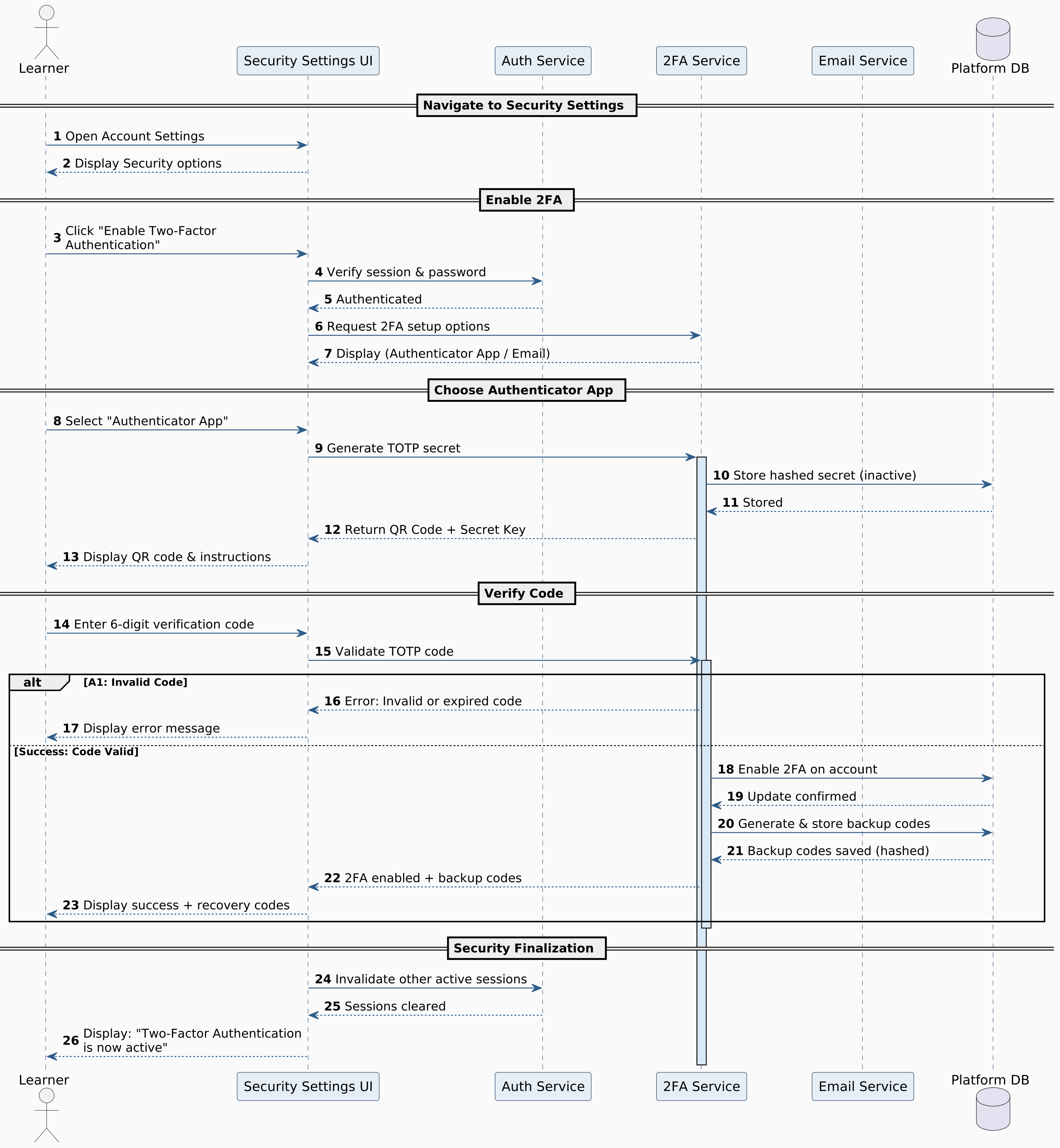

Figure 5.33: Enable Two-factor Authontecation

Practice Coding
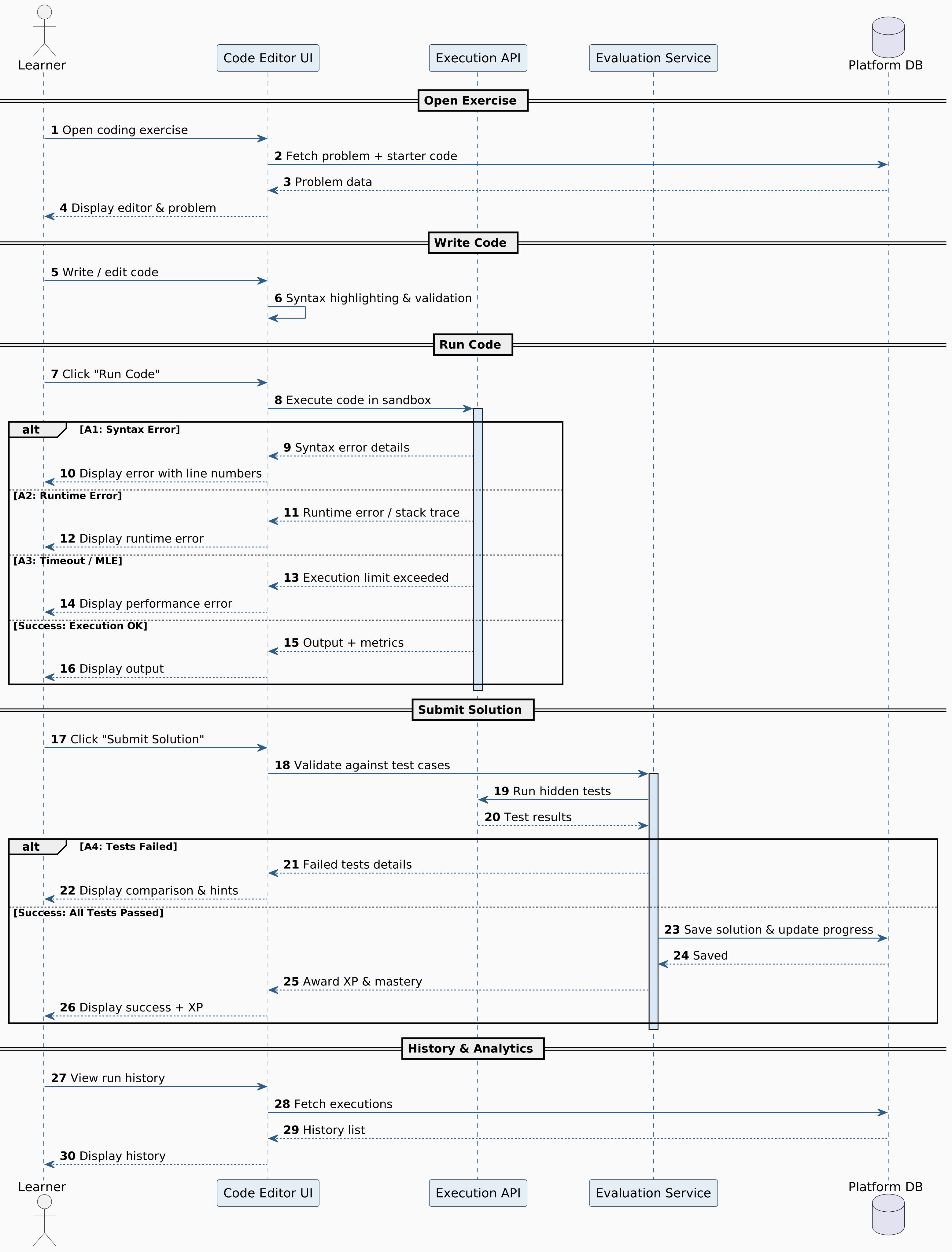

Figure 5.34: Practice Coding

Practice Coding with Blockly Editor
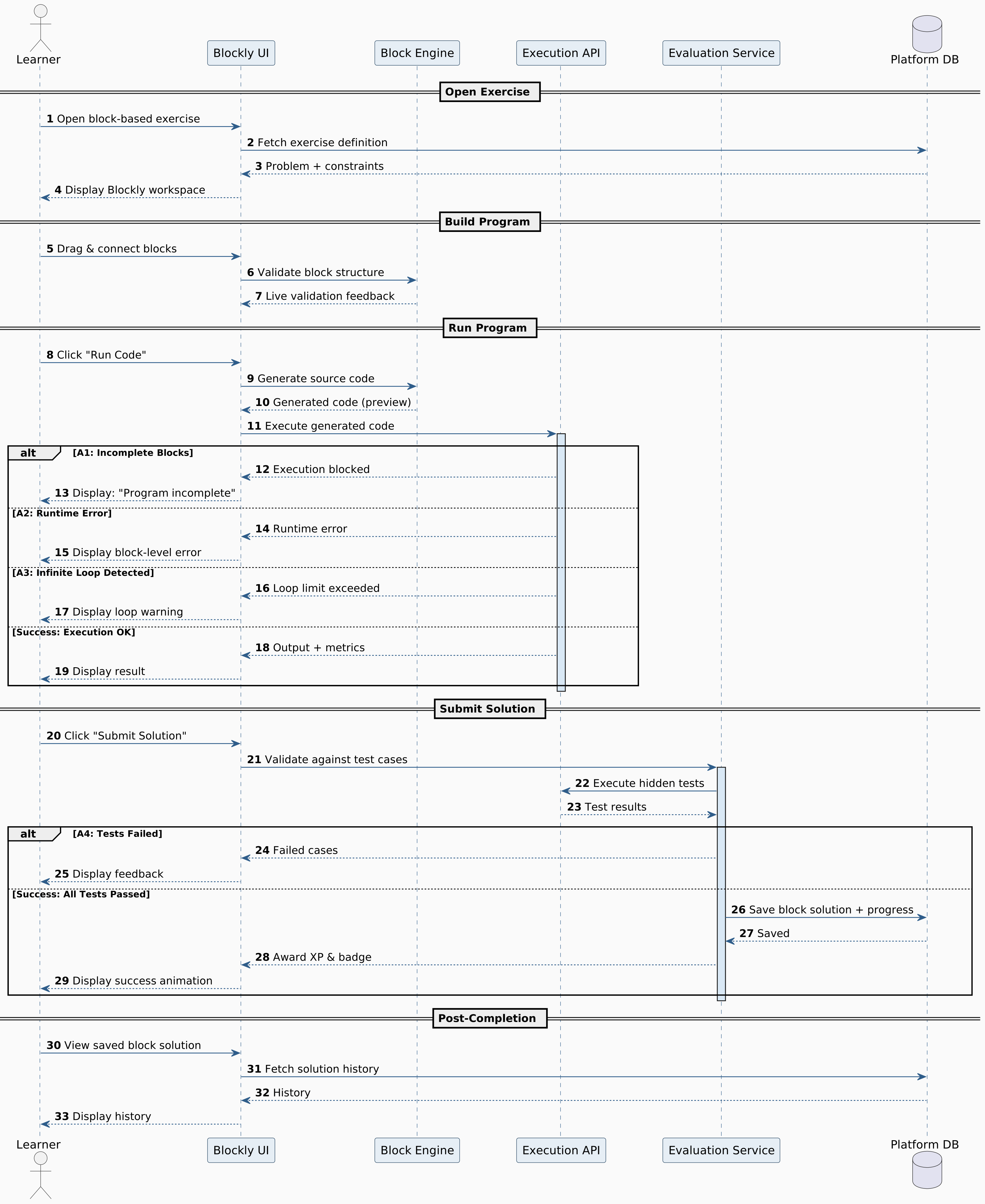

Figure 5.35: Practice Coding with Blockly Editor

Receive AI-Powered Hints
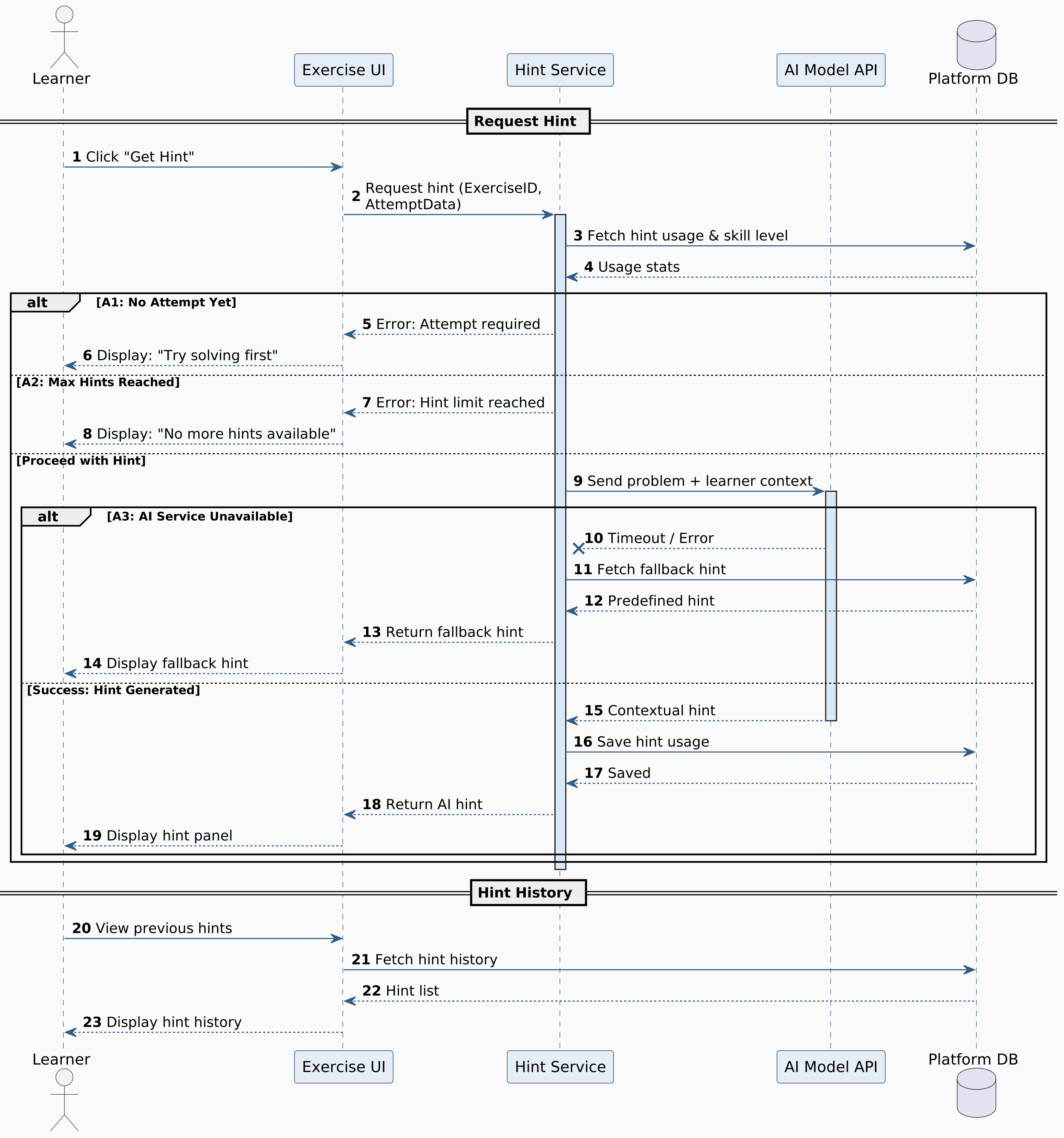

Figure 5.36: Receive AI-Powered Hints

Complete Certification Track
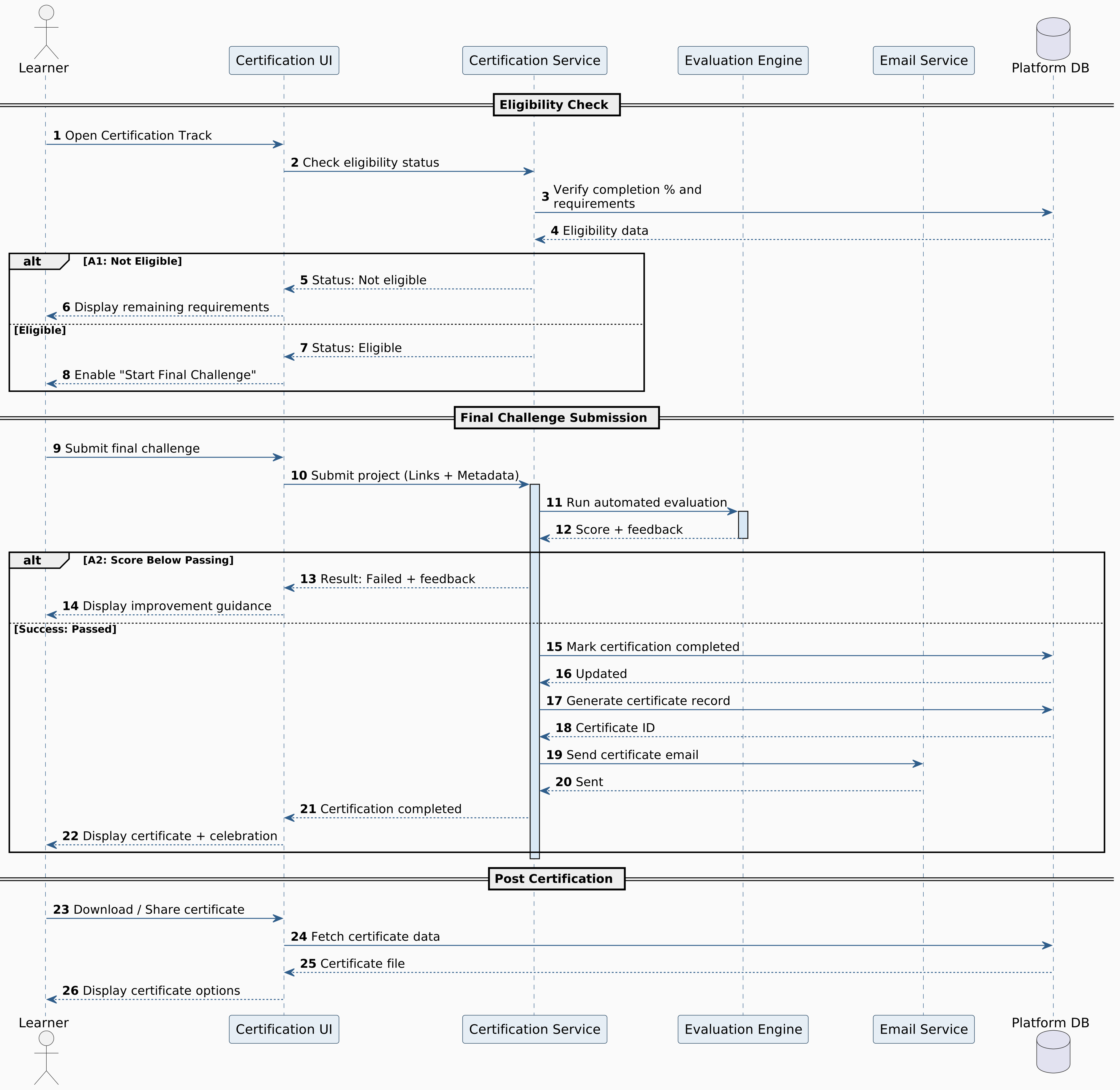

Figure 5.37: Complete Certification Track